Although macOS is known for its stability and flexibility, identifying the applications that best meet our daily needs takes time and research. These days, the range of free and paid software is vast, and highly specialized in solving all kinds of tasks. To help you navigate the tech landscape of 2026, I have gathered in this article the applications I consider absolutely essential to optimize your workflow, simplify everyday life, and explore the full potential of your Mac.
Have you ever imagined how choosing the right apps can transform and enrich your macOS experience?
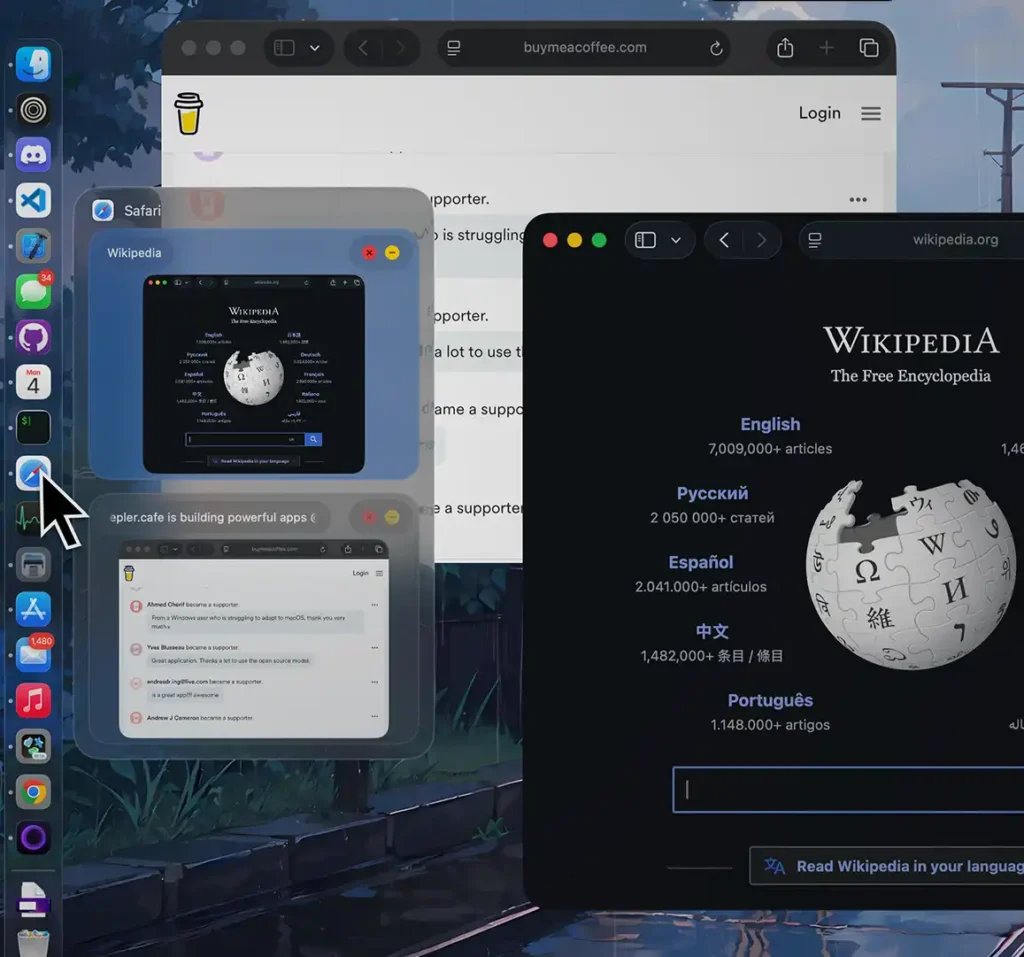
DockDoor is a free and open-source program that changes how you interact with macOS. Developed by an independent programmer, with full dedication to privacy, it is 100% local, no data collecting. This program will help you optimize your workflow substantially.
Key features:
- Dock previews: Hover over any icon in the Dock to see live previews of all open windows for that app, just as in Windows.
- Better Alt+Tab and Cmd+Tab: Fast visual switching between open windows.
- Instant control: Close, minimize or maximize windows directly from the preview, no need to focus them.
- Even more integrations: Media controls with synced lyrics. Quick event previews while hovering the Calendar icon.
DockDoor is lightweight, customisable and safe. It is a must-have solution to take your Mac productivity to the next level.

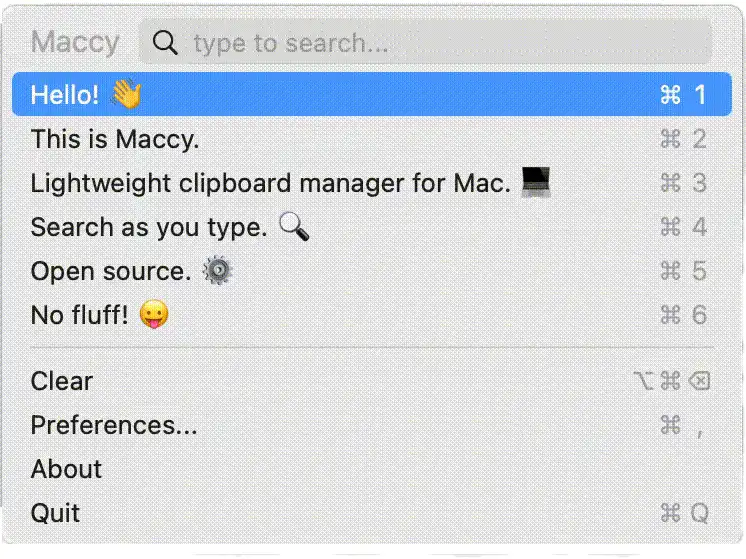
Maccy is a clipboard manager for macOS with a single goal in mind: to keep your copy history always at hand, without distractions. What makes it stand out is that it is exceptionally lightweight and speedy. You can search your complete history in a fraction of a second. It is designed to maximize productivity and adopts a keyboard-first approach. Type what you want to search for, and then press Enter. There’s no need to use the mouse.
Privacy and security is important. Everything stays local. Maccy respects password managers. When you erase important data, it’s ignored.
Maccy is open source and fully free. It comes with a native simple UI that fits perfectly with the system. This is the perfect tool for anyone who wants to be more efficient, simple and quick in their day to day lives.

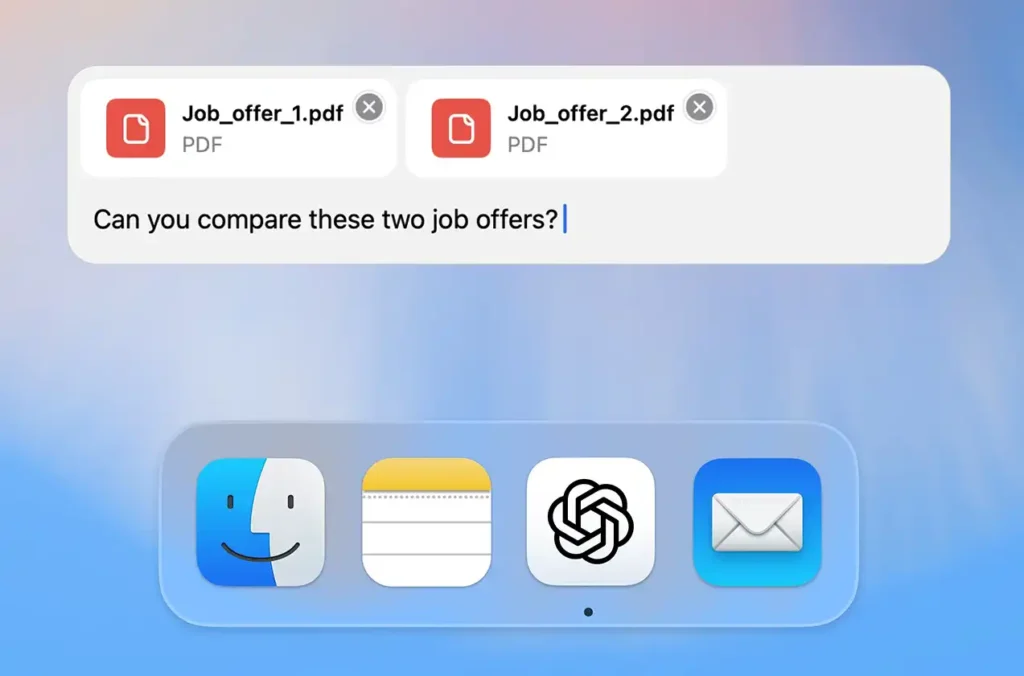
The official software for macOS from the makers of the official app for macOS, integrates natively and seamlessly into your everyday routine. Supports macOS 14+ and Apple Silicon processors.
Key features:
- Instant Access: Use the
Option + Spaceshortcut to open a floating bar and ask inquiries right away without disturbing your workflow.
- Integrate with other apps: Work with your environment, such as coding tools and terminals, evaluating the context on your screen to offer you with accurate responses that are specific to what you are doing.
- Voice & Image Mode: Use Advanced Voice Mode for natural and real-time discussion. You may drag files into the conversation, take screenshots or take pictures with your webcam and paste them immediately into the chat.

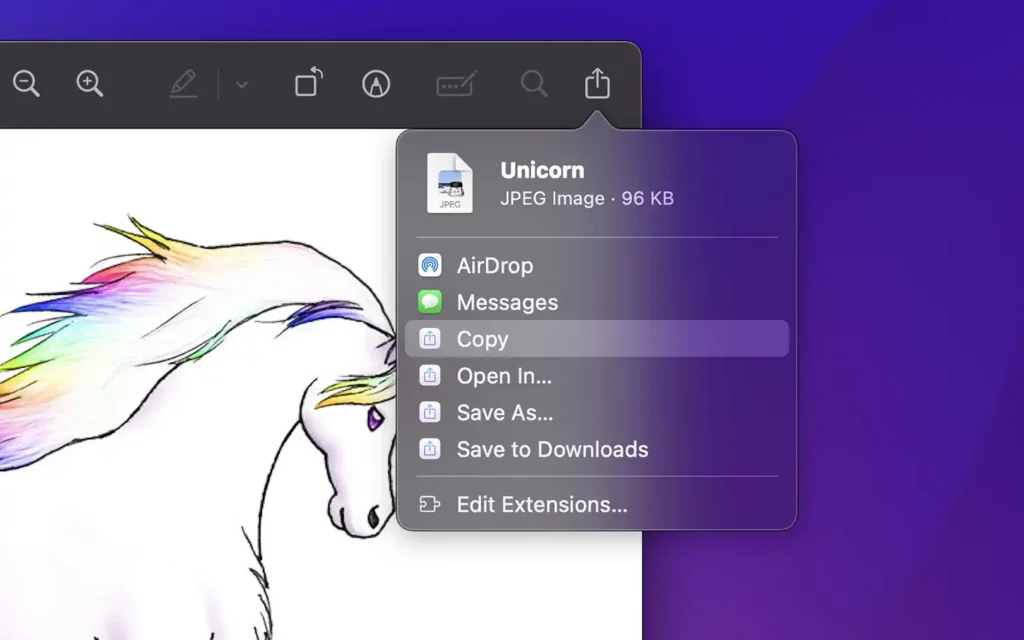
Shareful is a simple but highly useful utility by Sindre Sorhus that adds superpowers to the default macOS sharing menu. If you’ve ever been upset by the lack of simple settings in the system share window, this software fixes that exact problem. It’s also adding sharing services that are commonly needed but shockingly missing by default.
Main features added to menu:
- Copy: Quickly copies the file, text, or image to the clipboard.
Save As / Save to - Downloads: Saves the item to a particular folder or rapidly to the Downloads folder.
- Open In: Opens the selected file in any other app you choose.
It’s free, ad-free, and integrates discreetly into the system, saving clicks and enhancing efficiency in the most routine everyday chores.

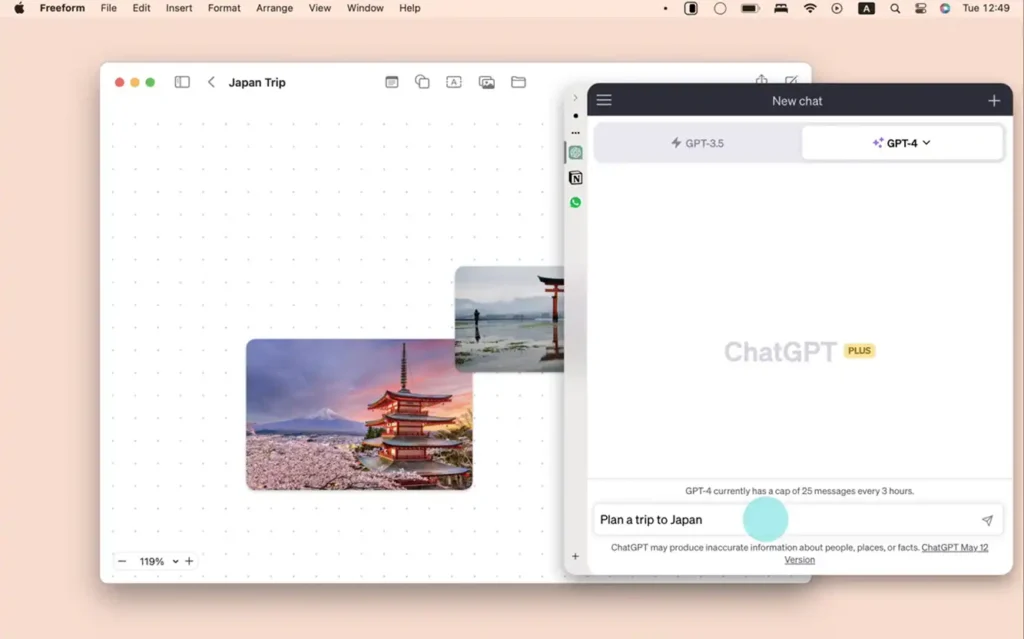
Tired of switching between dozens of windows? Slidepad is a smart mini-browser that provides the versatility of iPad’s Slide Over style to macOS. When you bring your pointer to the edge of the screen, the app opens a side panel that slides in immediately. You may add any website, web app like Slack, WhatsApp, Notion, or ChatGPT, or even PDFs via a built-in search box. Click outside and the panel will hide, freeing up your screen.
Key Features:
- No Alt+Tab needed: Immediate access. Your tools for support are only a tap away.
- Seamless movement: Add the apps you want and switch between them in a single side area.
- Complete control: dark mode, global shortcuts, active notifications for online apps, and Picture-in-Picture videos.

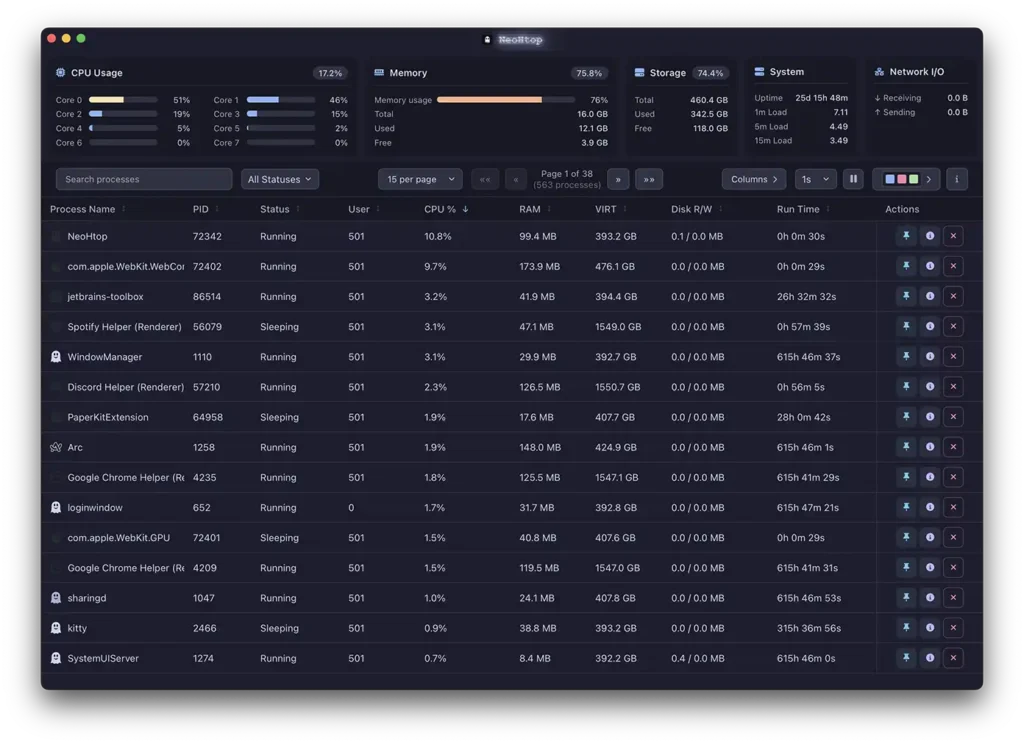
Tired with the boring look of the built in Activity Monitor? NeoHtop is a modern, cross-platform and very fast system monitoring application, built for those who want efficiency with a nice interface. NeoHtop is built with modern technologies like Rust, Tauri and Svelte, therefore it is very lightweight on the machine, usually utilizing less than 1% CPU without losing any functionality.
Key features:
- Modern and straightforward interface: A sleek design with automatic light/dark theme support.
- Smart search and filtering: Find any process in real time in a few seconds.
- Process pinning: Track your most important and resource-intensive procedures.
- Detailed management: View and manage processes with detailed metrics of CPU, memory and network.
NeoHtop is a completely free, open source, and native Apple Silicon supported, visual and functional improvement.

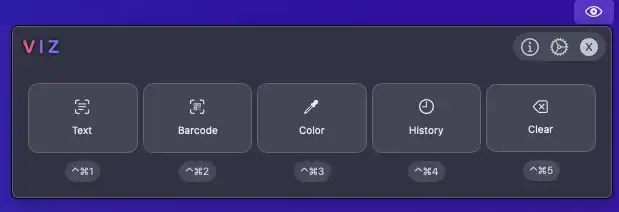
Viz is a free, open source visual collector for macOS. The program has a rapid capture method comparable to a screenshot through which you may extract text from images or videos, scan QR codes, barcodes and even recognize color codes.
Main features:
- Fast and precise extraction: Built on Apple’s inherent Vision engine, multi-language support.
- Automatic Copy: Anything you capture is automatically copied to your clipboard. You can also use append mode to capture multiple snippets sequentially.
- Synced history: Keeps your captures saved permanently, optionally with iCloud integration.
- Post-processing: automatically run terminal commands with the retrieved text.
- Customizable: Floating preview window with auto hide and global keyboard shortcuts
Viz is the perfect bridge between image and text, only for macOS 13 or later.

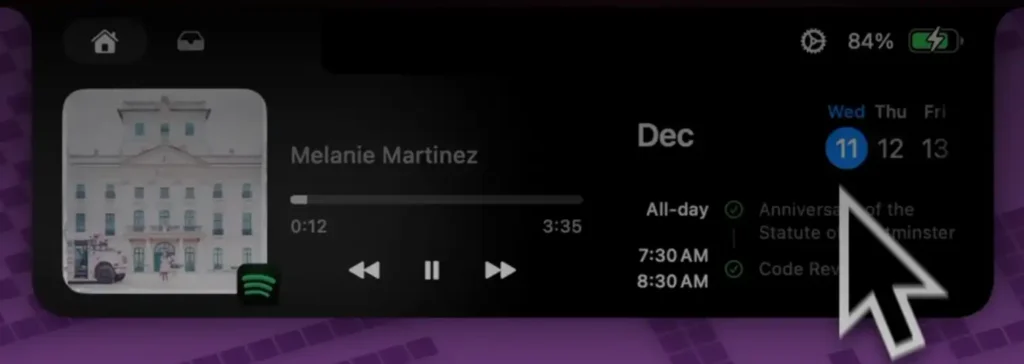
BoringNotch is a free and open source program that makes the MacBook notch a dynamic area, taking inspiration from the iPhone’s Dynamic Island.
So rather than dead space you get the top of your screen starts to give you:
- Media controls: View album art with dramatic color effects and control your music.
- Alerts and meetings: Get alerts for calendar events right in the notch.
- File shelf: ultra-fast structured sharing by dragging and dropping files into the notch
- Redesigned HUDs: Rather than the default macOS volume and brightness indications, you get stylish bars built into the top of the screen.
- Fast utilities: Before you start a video call, check the battery level or quickly launch the camera mirror.
BoringNotch is lightweight, highly customisable and blends aesthetics and productivity to properly optimize your office.

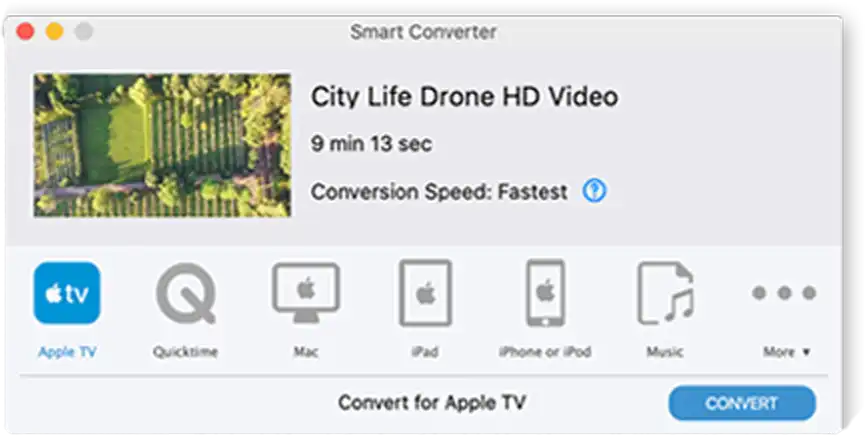
Looking for a quick and easy solution to convert films and music on macOS? Smart Converter is the right tool to use. It is fast and efficient, and it has features that make daily work easier:
- Extreme simplicity: It’s just a case of drag and drop and click convert. Simple settings.
- Smart conversion: The app scans the file and converts only what is needed to get the optimum balance between speed and quality.
- Versatility: Compatible with your favorite devices including iPhone, iPad, Apple TV and Smart TVs.
- Native integration: It automatically imports the final results into your Apple TV, Music or iTunes library.
- Modern design: Elegant interface with full Dark Mode support.
It’s free, it’s easy, and it’s the ultimate multimedia solution to save you time on your Mac.

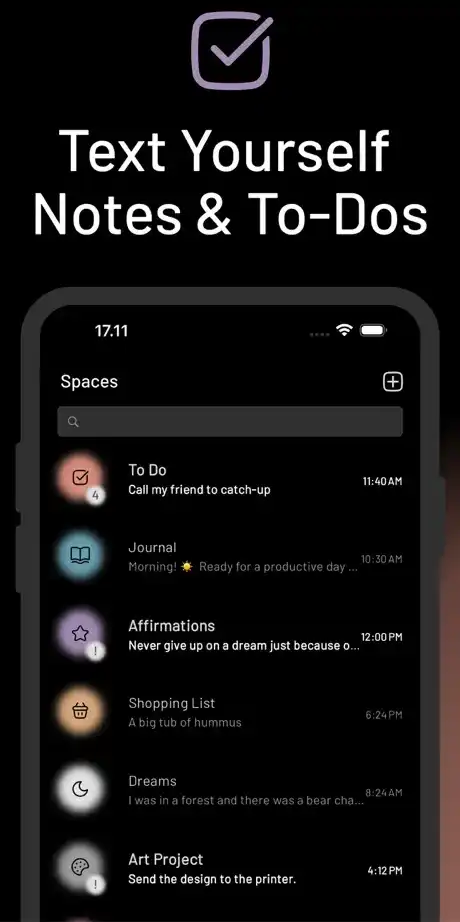
Have you ever sent yourself a note to remind yourself of something? Tetrify converted that habit into a really handy macOS program. You get the familiar chat style interface that removes the usual complexity of note-taking, task planning or journaling.
Key features are:
- Quick capture: Send yourself ideas, links or diary entries in an easy, no-pressure method.
- Natural reminders: Type in “call the dentist tomorrow at 3 PM” and the software sets the reminder for you, no convoluted menus required.
- Organization with room: Create separate Spaces (channels) to separate work ideas, shopping lists or personal reflections.
- Complete privacy: Default is 100% offline. If you would want to sync with your phone, your data is safeguarded with end-to-end encryption.
Tetrify, the fastest method to organize your thinking on a Mac, free and intuitive.

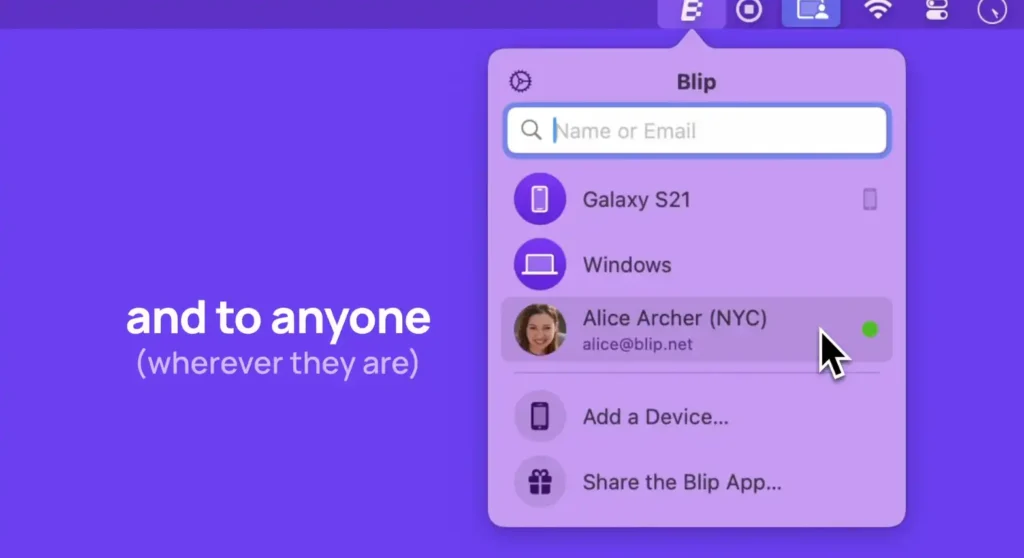
Sick of size constraints and slow uploads? Blip is a native macOS software that changes the way you transmit files. It’s like a real worldwide AirDrop. It works the same way for direct transfers between devices anywhere in the globe. You don’t need to send anything to the cloud.
Main features:
- No limitations: Send large files or folders like sophisticated video projects without needing to compress them into ZIP files.
- Speed and resilience: There’s no upload phase to intermediary servers, transfers start immediately. If your internet connection drops, Blip will pick up where it left off.
- Security and privacy: Files are transmitted with TLS 1.3 encryption without hazardous public links.
Blip is free for non-commercial use and saves you time and hassle, securely sharing your heaviest projects.

Velja is a pretty smart macOS utility that serves as a browser selector. Velja takes that position instead of being bound to a default browser, and it determines where each link you click should be opened.
Key features:
- Custom rules: You can tell your Mac to use Safari for day-to-day surfing, but to open Google Meet links in Chrome automatically, or Zoom invites in the specialized app.
- Specific profiles: Assign clicks to distinct work and personal profiles. Supported browsers: Chrome, Edge, Brave and Firefox.
- Link cleaning: Velja natively eliminates tracking parameters from URLs (such UTMs) automatically and silently, making links simpler and protecting your privacy.
- Integration: Works with macOS Shortcuts to automatically change the default browser based on your location, Wi-Fi network or time.
Velja is the utility you didn’t realize you needed if you run a few browsers.

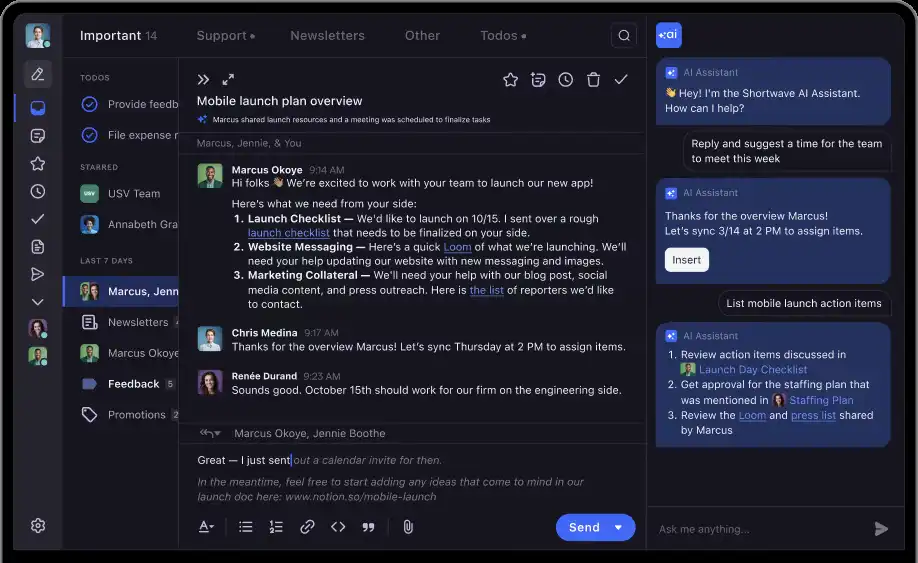
Shortwave, the spiritual heir to the famed Google Inbox, has been established by former Google workers. This macOS program employs state of the art Artificial Intelligence to transform how you handle your inbox.
Basic features:
- AI assistant: Understands your availability to write responses in your voice, summaries lengthy threads, and schedules meetings.
- Bundle organization: Automatically organizes promotions and newsletters so you can remove dozens of messages with one click or turn essential emails into to-dos.
- Smart search: Talk to the AI in natural language to locate any missing information in your history.
- Collaboration: Send threads, share labels and make private comments for your team without confusing forwarding.
- Keyboard focus: Great support for shortcuts and markdown means you may navigate and react without touching the mouse at all.
Shortwave is the perfect tool to finally reach inbox zero.
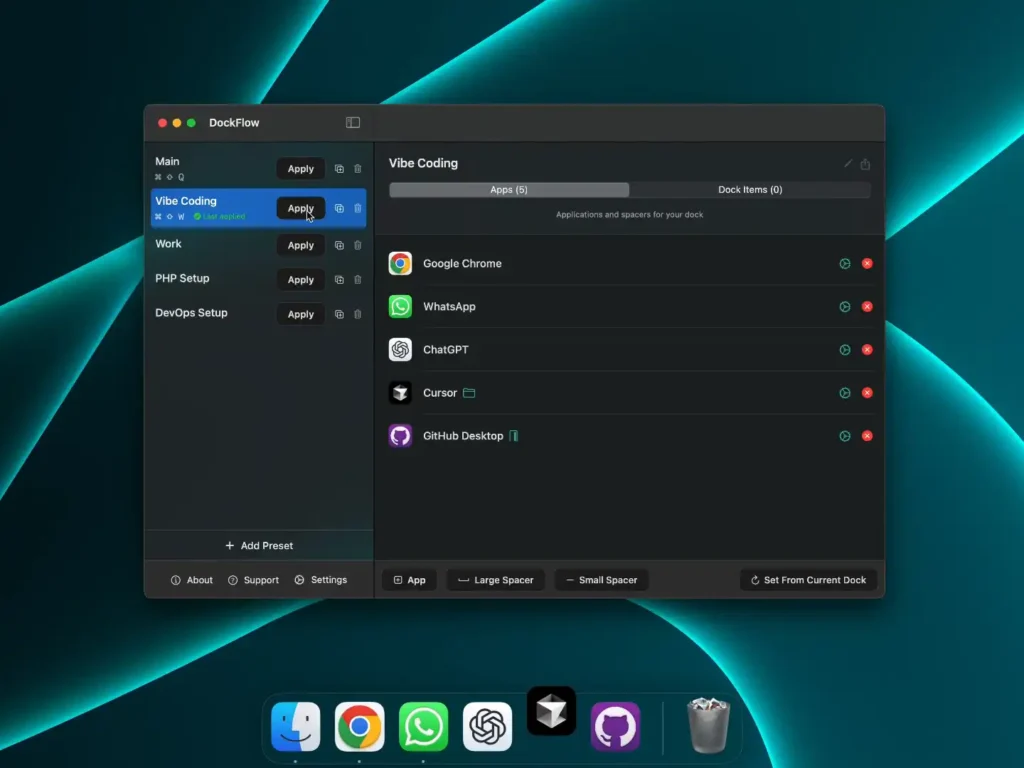
Are you juggling multiple projects and spend time re-arranging your Mac Dock? DockFlow is a productivity software that enables you to save and switch between several Dock settings instantaneously.
Key features:
- Custom profiles: Create presets for different processes whether it’s coding, design or leisure and switch between them with one click.
- Smart automation: DockFlow opens the apps, folders and files you require when you switch profiles, and closes those you are no longer using.
- Effortless integration: Works with macOS Shortcuts and Focus Modes so your Dock can automatically change based on your routine.
- Lock Dock: Stops the Dock bouncing between screens while using multiple monitors and so avoids the unpleasant behaviour.
- Security: Works with native Dock, no complicated permissions required.
Make your daily transitions easy. Be all there.

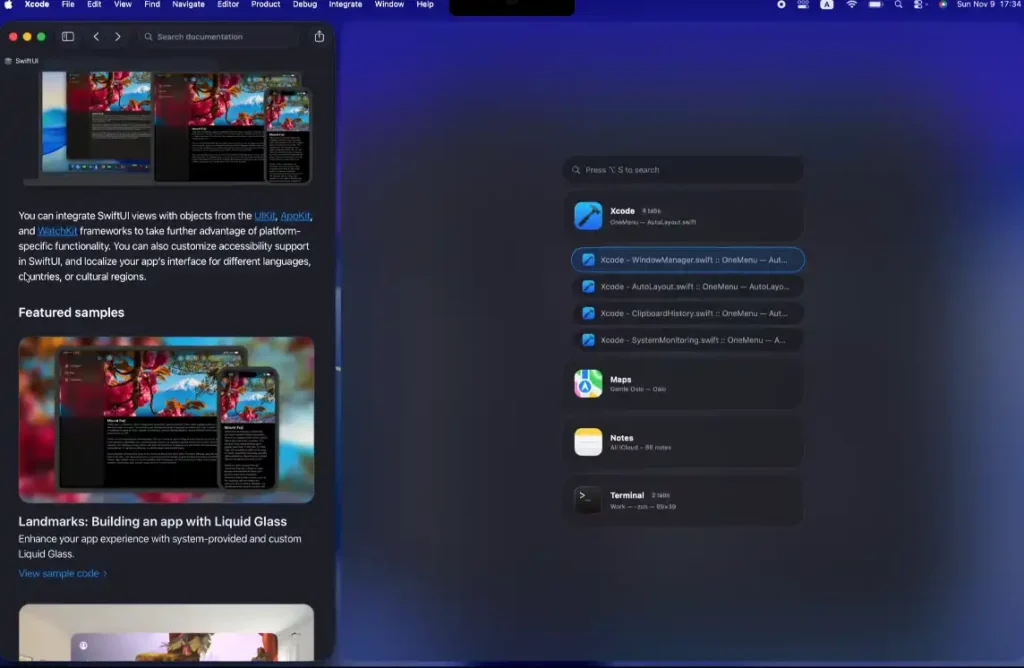
Tired of installing many apps for basic tasks? Well, OneMenu is the perfect solution. This application combines major macOS features into a single, lightweight, quick, and beautifully native tool.
Key features:
- Window manager: Many say it’s superior than Apple’s native manager, letting you configure screen zones and shortcuts, even adapting to vertical monitors.
- Clipboard History: Quickly locate whatever you’ve copied by app, content, or file Secure iCloud sync Paste as plain text
- Monitoring and cleanup: Monitor CPU, RAM and network utilization, with clever process grouping, and free disk space with a touch of a button.
- Handy utilities: You get brightness control for your external monitors, a convenient Alt-Tab window switcher and even a lock mode to safely wipe your keyboard.
OneMenu has a generous free edition, and will easily replace half a dozen apps in your daily life.

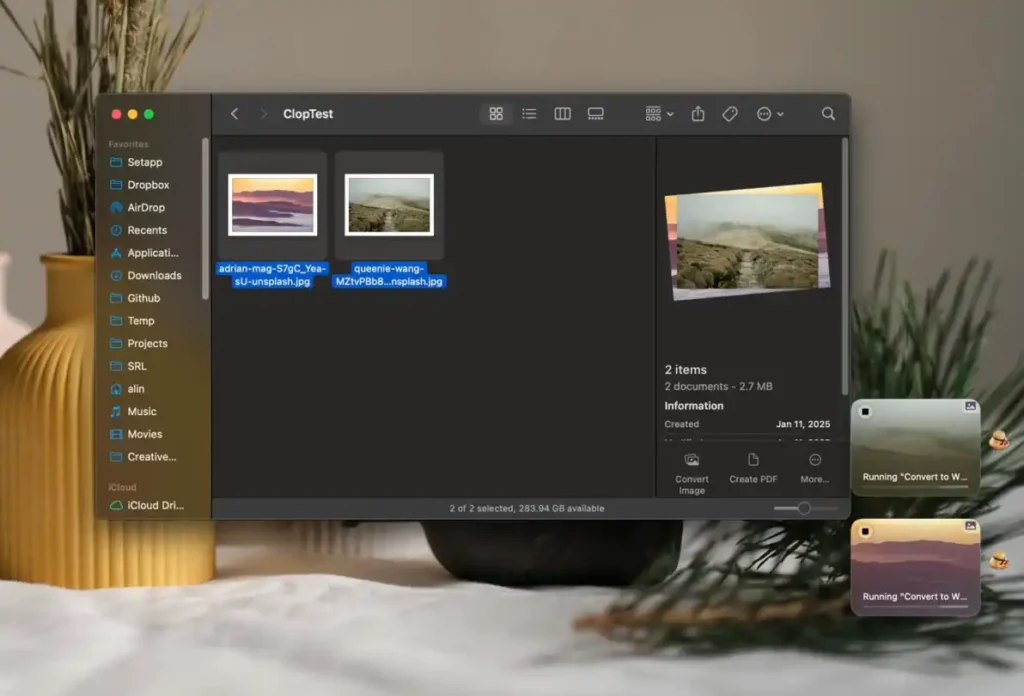
Clop is a macOS utility for fast optimisation of pictures, movies, PDFs and clipboard material. The idea is simple enough , large files are copied , small files are pasted and they are sent fast .
Main features:
- Automatic optimisation: Every time you copy an image, Clop shrinks it to the max, nearly without quality loss, ready to paste.
- Lighter videos: Optimizes screen recordings right after recording. It also allows you to cut, convert to GIF, modify pace or eliminate audio.
- Fast resizing: Drag files into the drop zone or use keyboard shortcuts to lower resolutions, convert formats like HEIC to JPEG or WebP, and watermark.
- PDF compression: Great for shrinking large documents so you can email them or put them on iPad screens. Clop saves storage, bandwidth and time, a lot of time.
Everything is processed locally, without relying on the cloud.
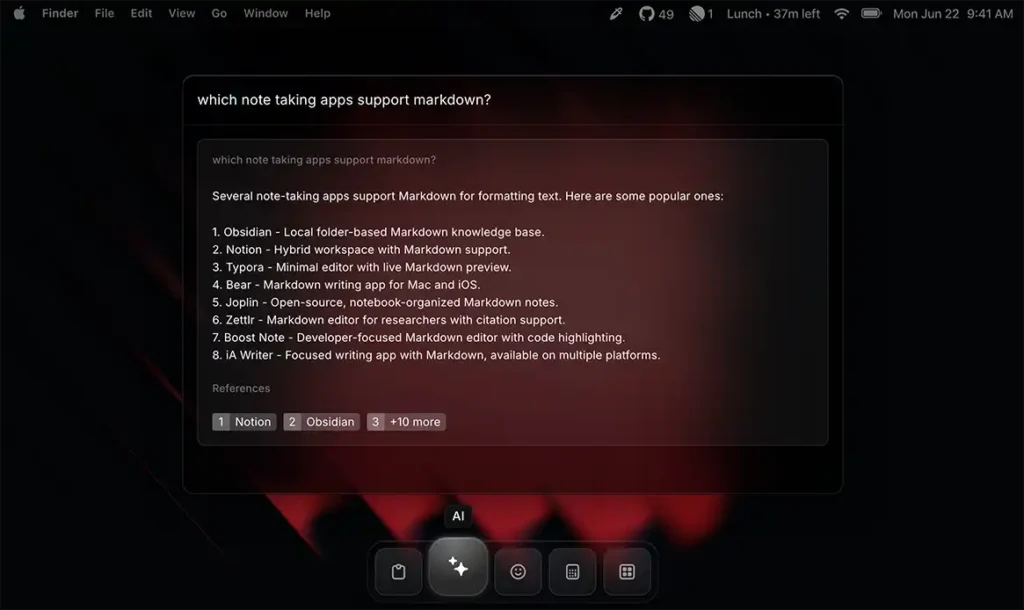
Raycast is the best launcher for macOS, replacing the traditional Spotlight and taking your productivity to the next level. Raycast is super fast and built for full keyboard control. So it allows you to operate your whole computer in a way that is considerably smarter and more ergonomic.
Key features:
- Deep integration: Connect to technologies like as GitHub, Notion, Jira and Spotify with thousands of extensions available in a dedicated store.
- Native utilities: Manage windows on screen, browse clipboard history and produce text snippets, to save writing time.
- Raycast Artificial intelligence: Get a virtual assistant embedded in your OS to answer queries, generate code or help you write letters… without leaving the browser.
Raycast is extendable, fast and free in its base form, bringing all your daily work to one search bar.

Do you think the standard macOS Dock is not enough for you? Sidebar is the best alternative. It’s the most modern, configurable replacement on the market that takes Mac navigation to another level.
Main features:
- Window preview: Hover over an app to see thumbnails of all open windows with an optional Live Preview.
- Start menu: A very useful, integrated app launcher, in the style of Windows but with the elegance of macOS.
- Full window management: Includes a sophisticated Window Switcher with filters and search, and Window Snapping to fit windows into corners of the screen.
- Unified controls: Control media, see calendar, all from the sidebar.
- Multiple displays and fixed space: Can be configured per monitor and reserves its own space to prevent window overlap.
Sidebar is the boost your productivity needs. We respect your privacy and do not gather any data.


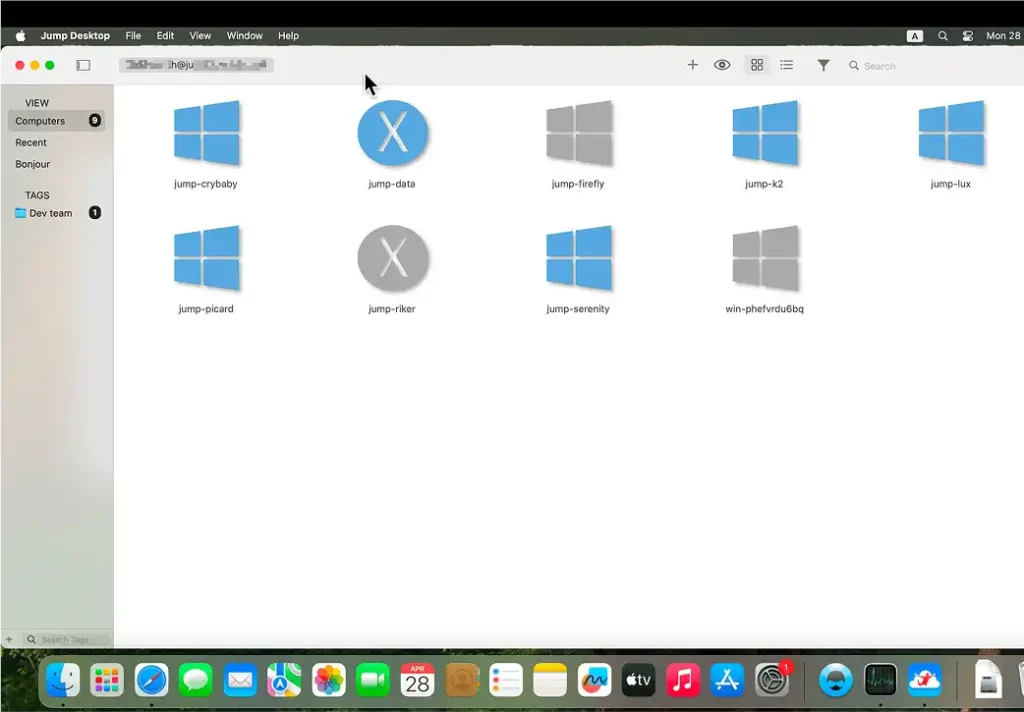
Want to access your desktop PC from anywhere in the world? Jump Desktop is a powerful, secure and super-fast remote desktop program for MacOS that will change the way you work from afar.
Main features:
- No setup: No IPs. No complicated router setups. The automatic connection will configure the network for you in less than 5 minutes.
- Proprietary protocol, Fluid 2.0: Alongside the classic RDP and VNC it uses the Fluid engine which provides the ultimate smoothness, full immersion audio sharing, and flawless sharpness visuals with 10-bit 4:4:4 color.
- Unlimited connections: Add as many machines as you like, no limits or extra hidden expenses.
- State of the art security: End-to-end encryption and SOC 2 compliance keeps your data protected at all times
Jump Desktop is the best low latency way to connect to your Mac for personal usage or team administration.

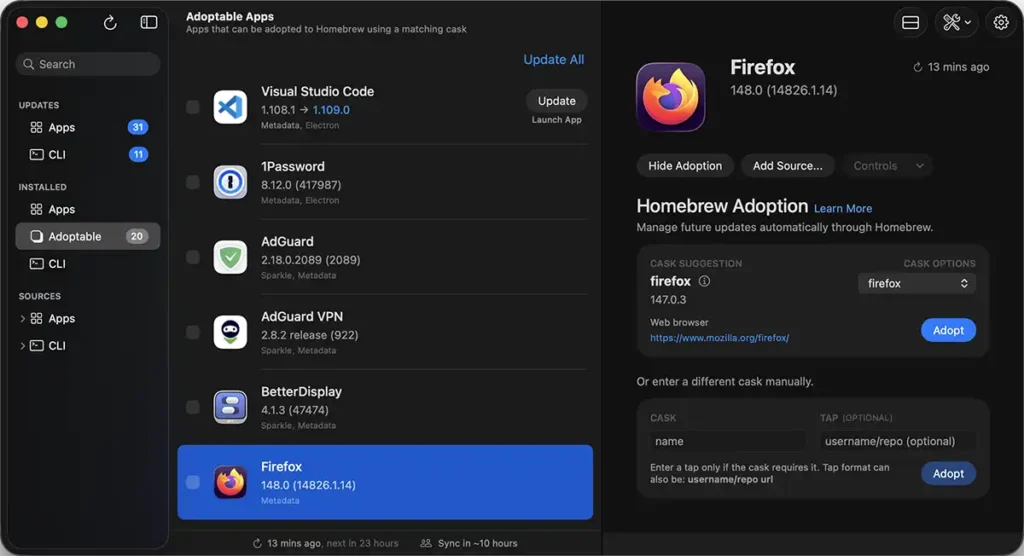
Sick of update notices popping up all over the system? Updatest is a new and creative macOS utility that integrates software maintenance into one native and attractive dashboard.
Main features:
- Central hub: One spot to collect and manage updates from the Mac App Store, Homebrew, Sparkle, Electron and GitHub releases.
- Smart migration: Allows you to detect and take over apps that were manually installed, so that they are easy to administer with Homebrew.
- Complete control: Bulk update your apps or just ignore certain versions with a click.
- Security & Privacy: The app is 100% local, and does not monitor or use any analytics. It also provides you with important security information about each program, like certificates and Gatekeeper approval.
Never easier or faster to keep your Mac organized, updated and safe using Updatest!