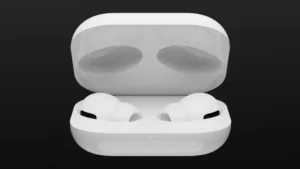
Apple has released several firmware updates for the entire AirPods lineup to ensure your devices remain at the highest possible level of performance and security. Everything you need to know about the latest updates is right here.
What’s new in the updates
Firmware updates are essential to keep your AirPods running smoothly with the latest improvements. The latest versions are:
- AirPods Pro (2nd generation) with MagSafe Charging Case (USB-C): 6F8
- AirPods Pro (2nd generation) with MagSafe Charging Case (Lightning): 6F8
- AirPods Pro (1st generation): 6A326
- AirPods (3rd generation): 6A326
- AirPods (2nd generation): 6A326
- AirPods Max: 6A326
- AirPods (1st generation): 6.8.8
- Beats Fit Pro: 6F8
- Powerbeats Pro: 6F8
In addition, the 6A300/6A301 update brings features such as Adaptive Audio, Conversation Awareness, and Personalized Volume when used with iOS 17 and macOS Sonoma.
Firmware updates are delivered automatically while your AirPods are charging and within Bluetooth range of your iPhone, iPad, or Mac connected to Wi-Fi. You can also use your Apple device to check whether your AirPods are on the latest version:
- Open the Settings app on your iPhone.
- Go to the “Bluetooth” menu.
- Find your AirPods in the list of devices.
- Tap the “i” next to them.
- Check the “Firmware Version” number.