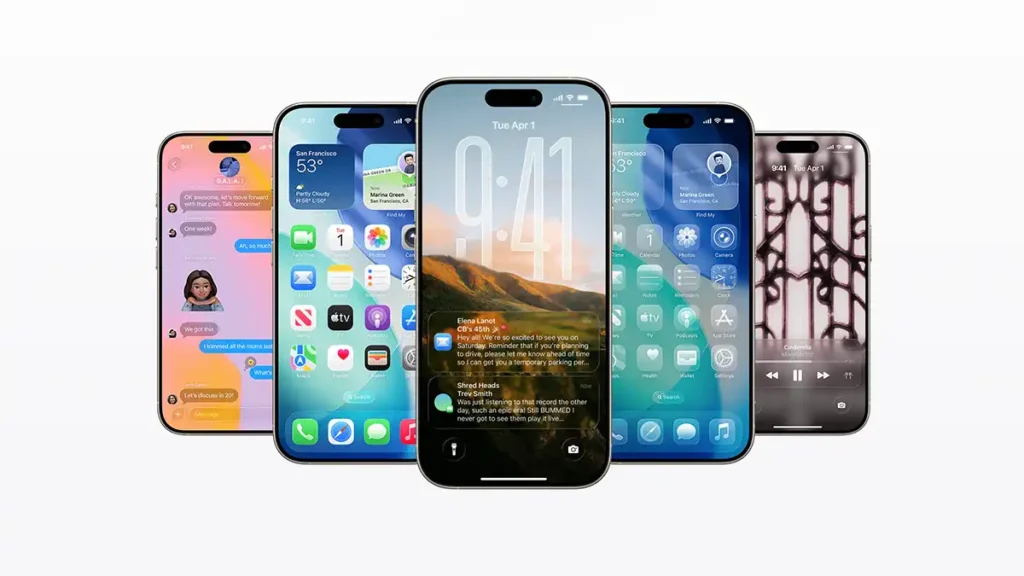
Apple surprised users at WWDC 2025 by announcing iOS 26, the new version of the iPhone operating system. Instead of being called iOS 19 as expected by sequence, the company chose “iOS 26” to unify the naming of its systems and align it with the year of the release season. This change marks the beginning of a new era for Apple’s software, accompanied by a completely revamped look and a strong injection of artificial intelligence into several features. In this article, we will explore in detail the main new features of iOS 26, from the Liquid Glass design to improvements in native apps, new real-time translation features, and much more.
New naming and revolutionary “Liquid Glass” design
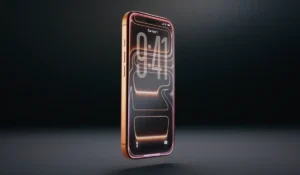
One of the first highlights of iOS 26 is, without a doubt, its new design. It is the biggest aesthetic change since iOS 7, now inspired by the visual language of visionOS (Apple’s mixed reality system). iOS 26 introduces a translucent interface called Liquid Glass, with floating windows and semi transparent menus that create an elegant “glass” effect. System elements such as buttons, toolbars and app icons have gained more rounded outlines and dynamic lighting effects, adding depth and liveliness to the screen. According to Apple, this new Liquid Glass material adapts to content and context in real time, reflecting and refracting the surrounding environment to highlight what matters at each moment. The result is a more expressive and engaging visual experience, while still maintaining the familiarity of traditional iOS.
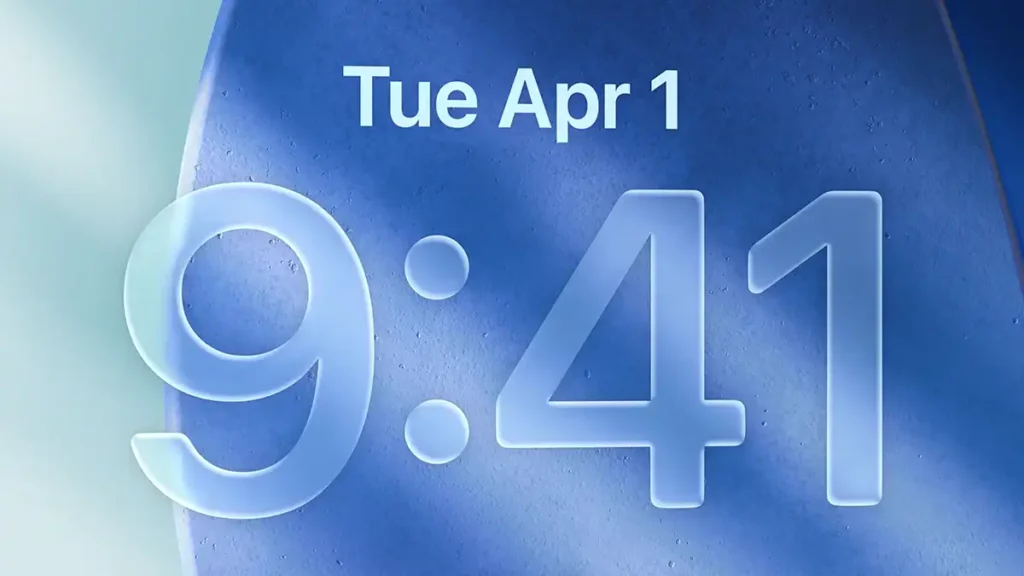
On the lock screen, iOS 26 also surprises with customization and dynamism. The clock adjusts fluidly within the chosen wallpaper, and new spatial scenes bring the background to life with a 3D effect as the user moves the iPhone. In addition, it has become easier to switch between multiple background photos, ideal for those who like to change the look of their screen. Apple Music, for example, can now display the album cover of the currently playing song in full screen on the lock screen, along with animated visualizations synced to the beat. This makes listening to music a richer visual experience even with the iPhone locked.
YouTube Short showing iOS 26
Artificial intelligence features and live translation
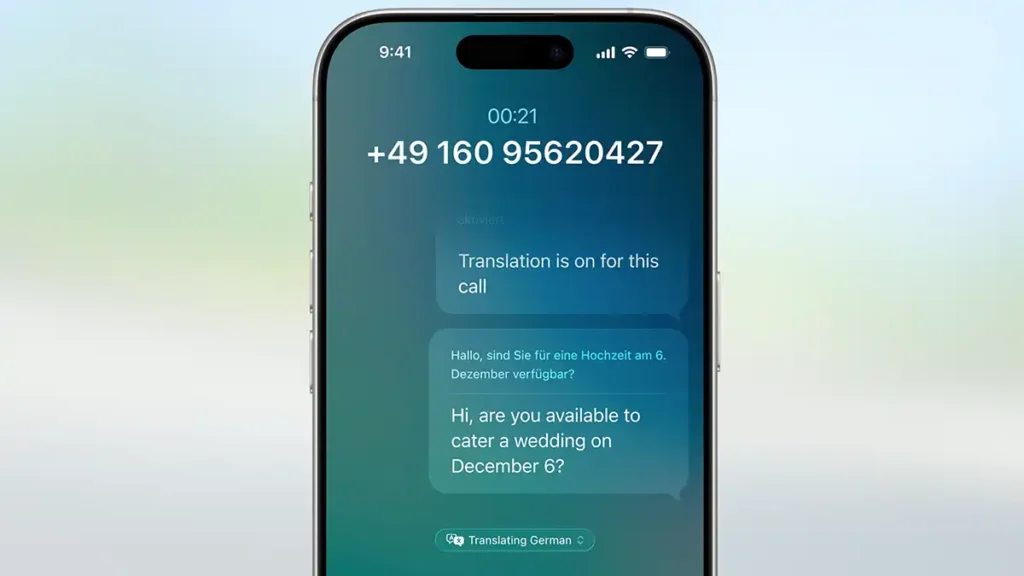
iOS 26 brings important AI (Artificial Intelligence) advances integrated into the system under the initiative called Apple Intelligence. One of the most impressive new features is Live Translation, included in the Messages, FaceTime and Phone apps, allowing you to communicate with people in other languages instantly. Text and audio are translated in real time during a conversation, whether in a phone call or video call, with subtitles on the screen and translated audio in your earphones. For example, a user who speaks Portuguese can immediately hear the translation of what an English or Spanish speaker is saying, and vice versa. It is important to note that all of this processing happens on the device itself, through Apple AI models running locally, preserving the privacy of conversations (no sensitive data is sent to the cloud).
Another innovation is Visual Intelligence, now expanded to analyse the content on the iPhone’s screen. Until now, Apple’s visual recognition was limited to identifying real-world objects through the camera (such as plants or landmarks). In iOS 26, this capability extends to what is being displayed in any app. The user can, for example, select the screen (similar to taking a screenshot) and ask ChatGPT about a product shown in a shopping app or get more information about a place on a web page. It is also possible to search for similar images or items on Google, Etsy or other apps directly from that screen analysis. Visual Intelligence automatically recognises when there is an event mentioned on the screen (for example, a date and location in a message) and suggests adding it to the calendar with all details filled in. All of this was designed to save time and make the iPhone more proactive in helping the user in daily life, while always keeping security and privacy as priorities (no image or information leaves the device without consent).
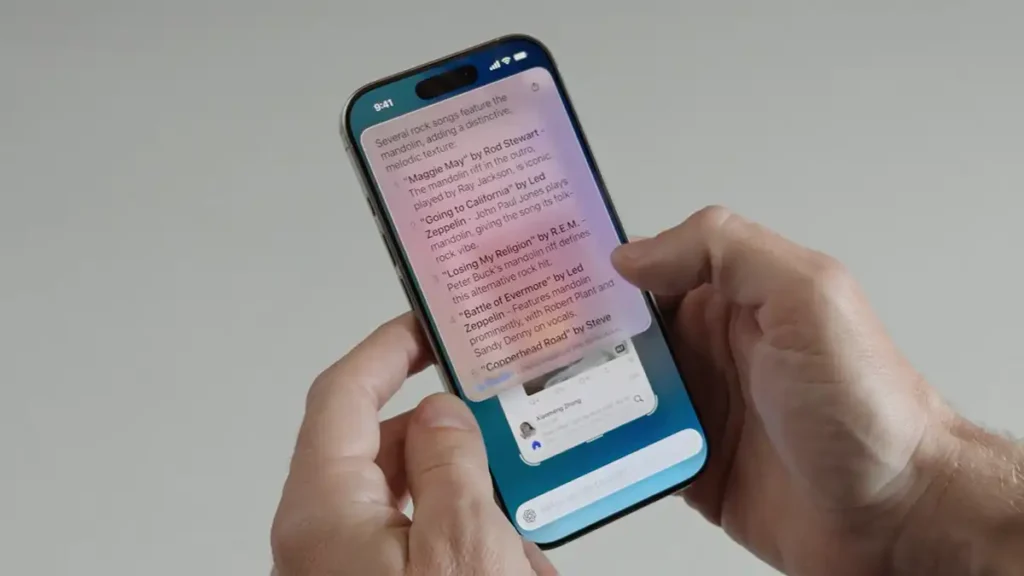
It is worth noting that, despite so many AI enhancements, the virtual assistant Siri did not receive the major update many were expecting. Rumours pointed to a Siri powered by advanced language models (similar to ChatGPT), but this redesign was not announced at WWDC 2025 and everything indicates it will arrive in a future version. Apple chose gradual evolutions for the assistant while focusing its AI efforts on the features described above.
Improved native apps and new games app
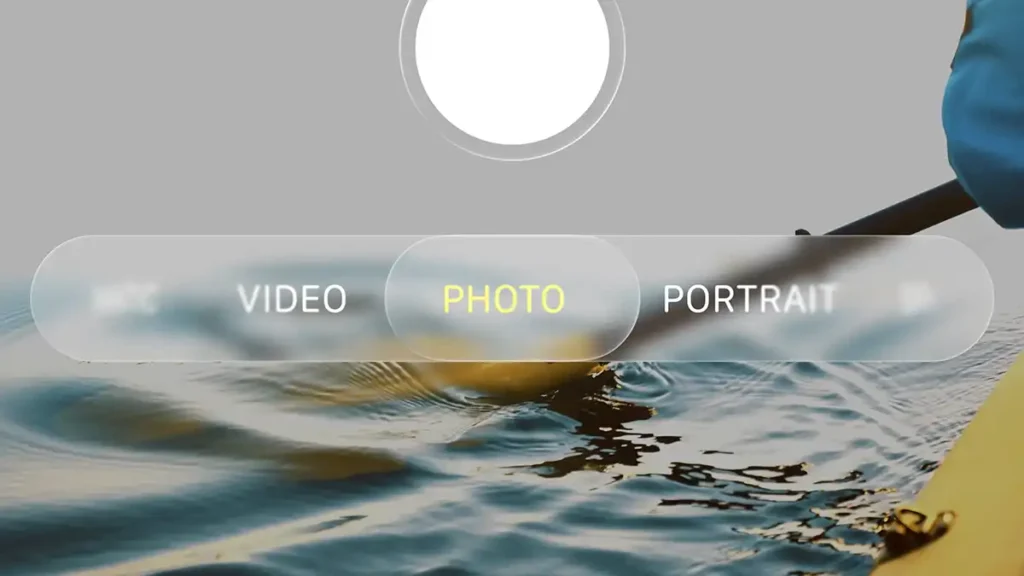
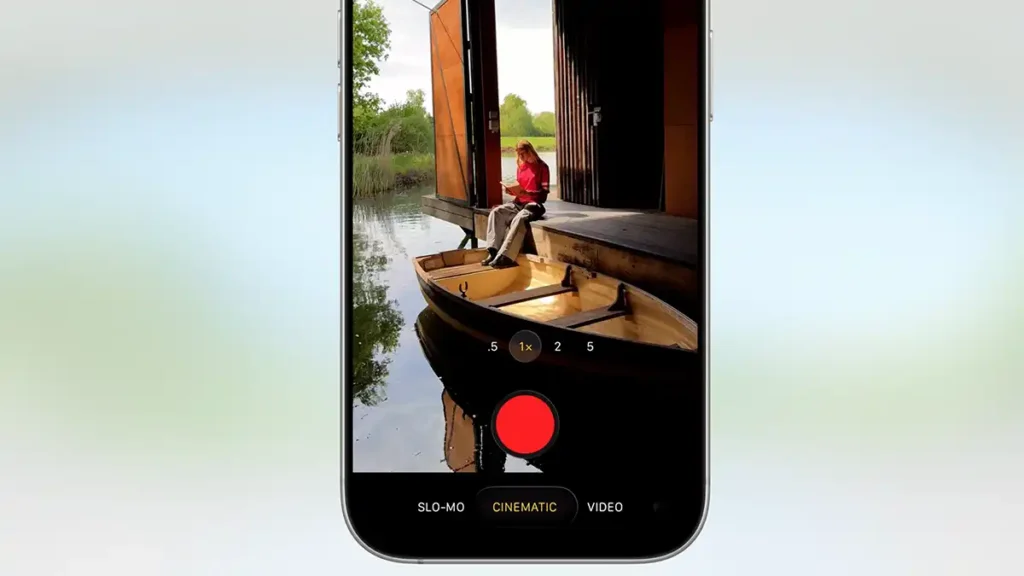
As usual, Apple has refined several native iPhone applications in iOS 26, adding user-requested features and usability enhancements. In the Notes app, for example, you can now use dynamic tags to organise notes by geographic location or even by the content of the images inserted in them: the system recognises objects and scenes and automatically groups the notes. In addition, the Notes app finally allows exporting notes in Markdown format, a highly requested feature by advanced users to make integration with other writing and editing tools easier. The iPhone Camera received a redesigned interface in the Liquid Glass style, with floating and transparent controls that reduce visual clutter and give more prominence to the scene being captured. This reorganisation makes taking photos and videos more intuitive, improving the user experience by not distracting them at the moment of capturing memories.
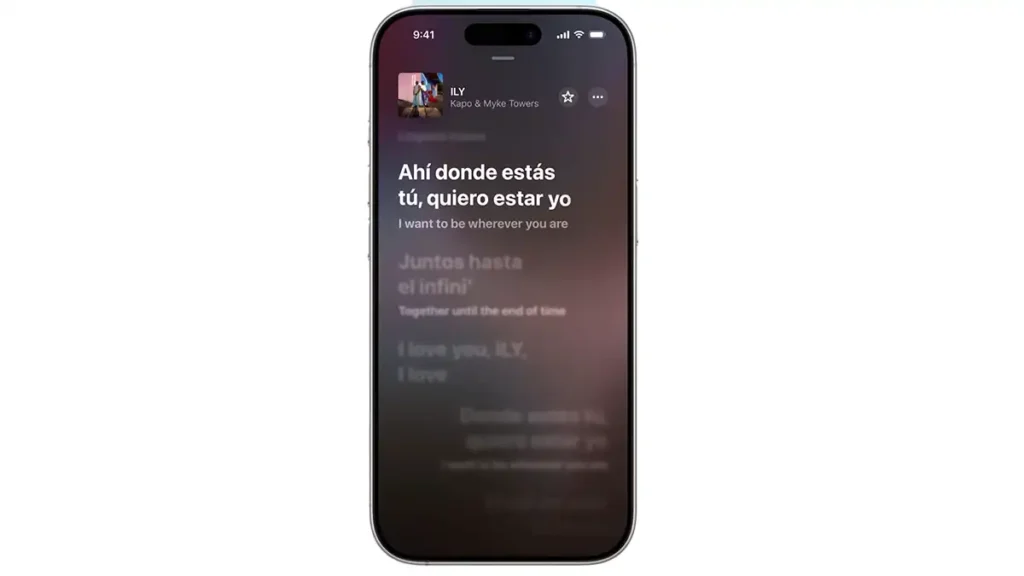
Apple Music is also renewed: beyond the modernised look, the app gains the ability to translate song lyrics in real time, allowing you to follow foreign songs while immediately understanding their meaning. Another new feature in Music is the option to pin favourite albums and artists to the top of the app for quick access, tailoring the experience to each person’s tastes.
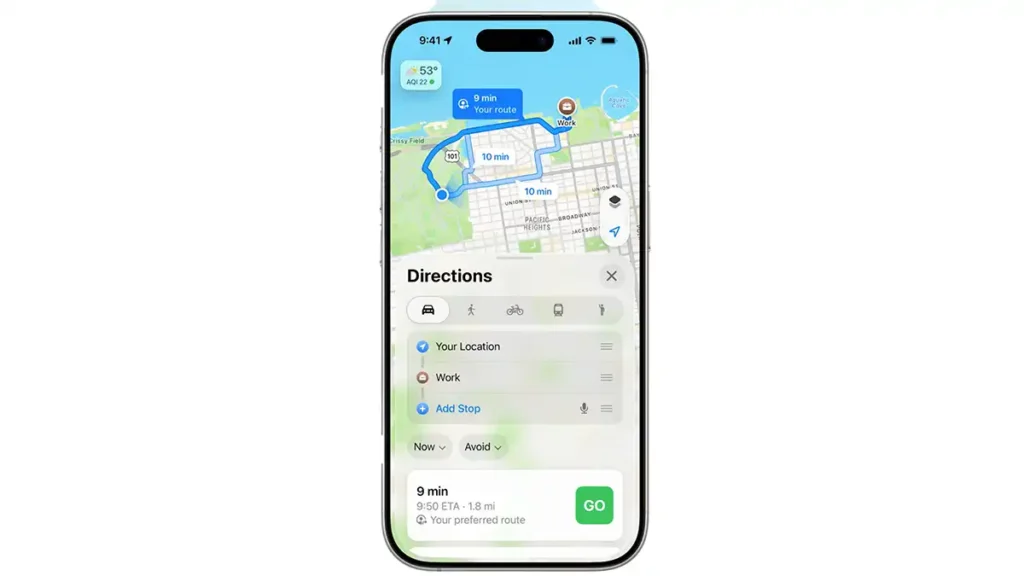
In Maps, iOS 26 now automatically suggests alternative routes in cases of heavy traffic or accidents on the way, helping drivers save time. Apple has also integrated Apple Wallet functions into Maps to improve user identification in certain services: for example, it will now be possible to use the iPhone’s digital wallet with your digital driving licence or proof of address to identify yourself on trips and car rentals, where supported (an extension of the digital keys and documents Apple has been rolling out). These additions reinforce the convenience of the iPhone as an all-in-one tool for everyday life.
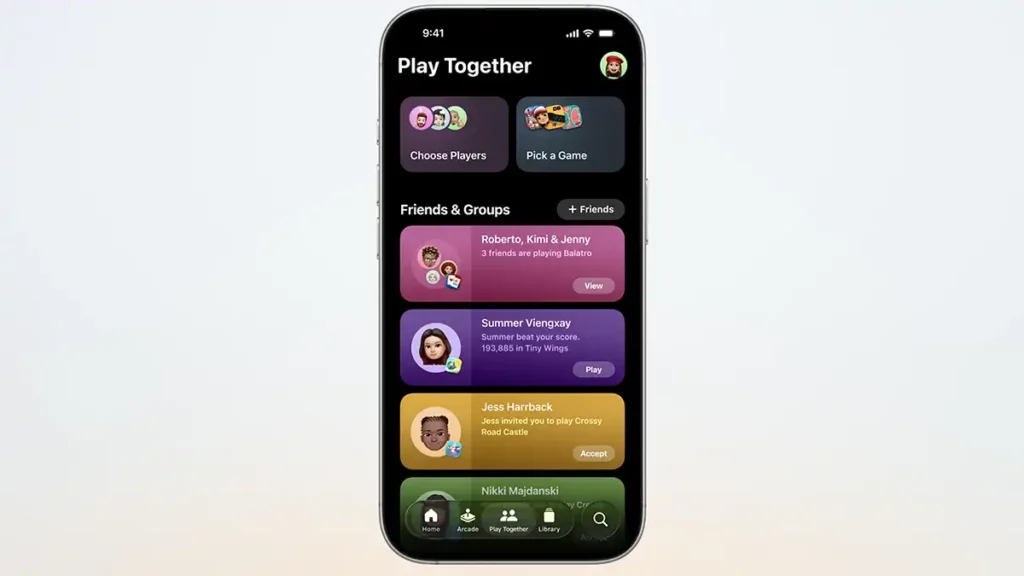
Among the highlights, Apple launched a new app called Apple Games. It is a dedicated app to centralise all installed games and related content, working as an entertainment hub. In it, users can organise their game library, discover recommendations for new titles and even find friends to play with. Apple Games shows leaderboards and achievements, letting you compare scores with friends in each game and bringing back some of the Game Center spirit, but in a more modern and system-integrated way. For mobile gaming fans, this new app offers a unified experience, making it easier to find, manage and enjoy games on the iPhone.
Enhanced communication: Phone, Messages and CarPlay
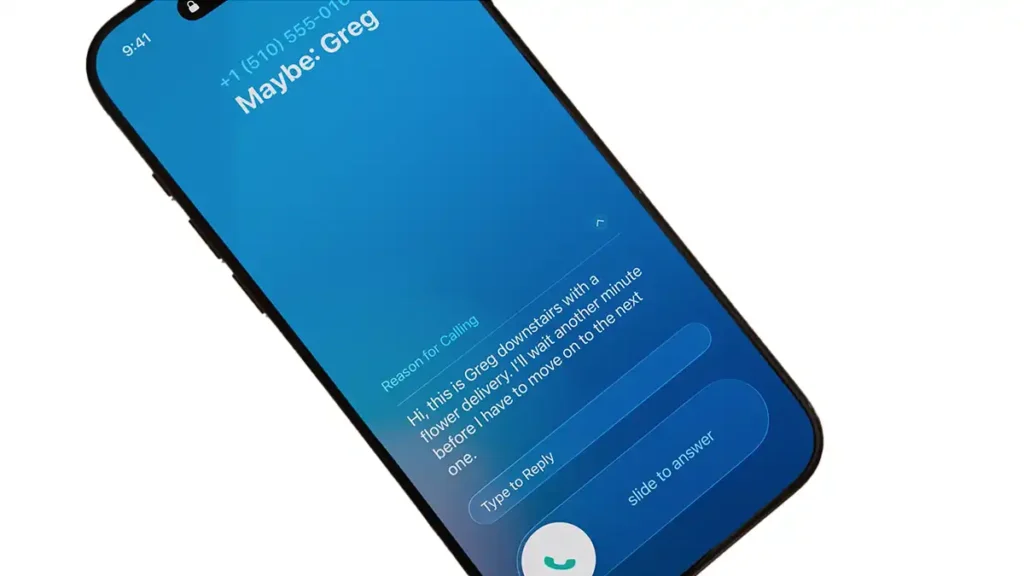
iOS 26 places strong emphasis on improving how we connect and communicate with others. In the Phone app, Apple introduced Call Screening, a feature that handles calls from unknown numbers: when receiving a spam call or a call from an unidentified number, the iPhone can answer it silently and ask the caller for the reason, transcribing in real time what they say. With this information, the user sees on the screen who is calling and why, and can decide to answer or decline the call without even interrupting what they were doing. This feature expands on Live Voicemail introduced earlier, and helps eliminate unwanted interruptions by filtering automated or fraudulent calls before they bother the user.
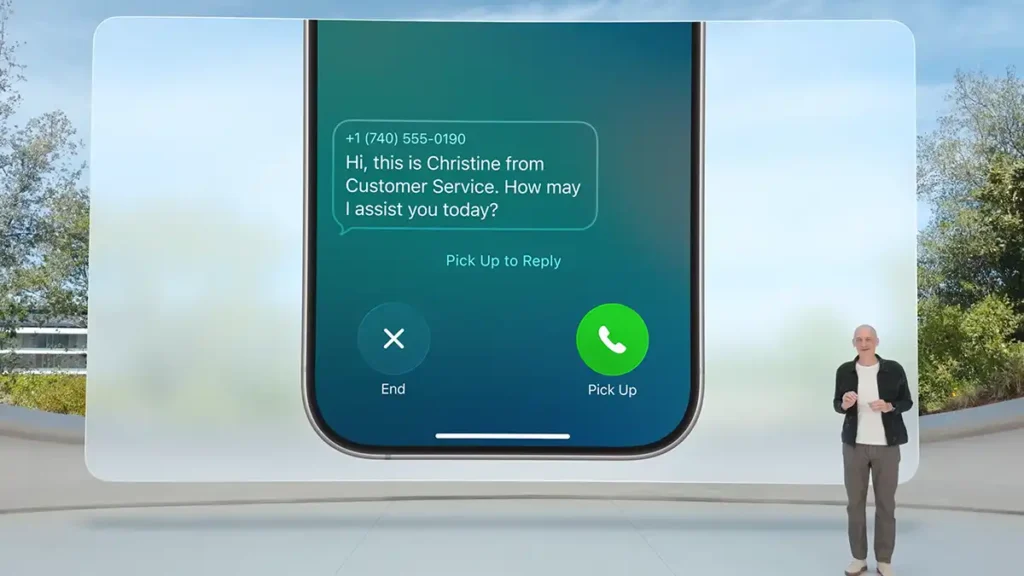
Also in calls, another new feature is Hold Assist: if you are on hold when calling customer support, the iPhone detects when a human operator finally answers the call and sends a notification warning that you can return to the line. This way, the user can do other tasks while waiting, without worrying about missing the moment they are attended to. In addition, the Phone app has received an updated look, now combining the Favourites, Recents and Voicemail tabs in a single unified view for faster access to history and important contacts.
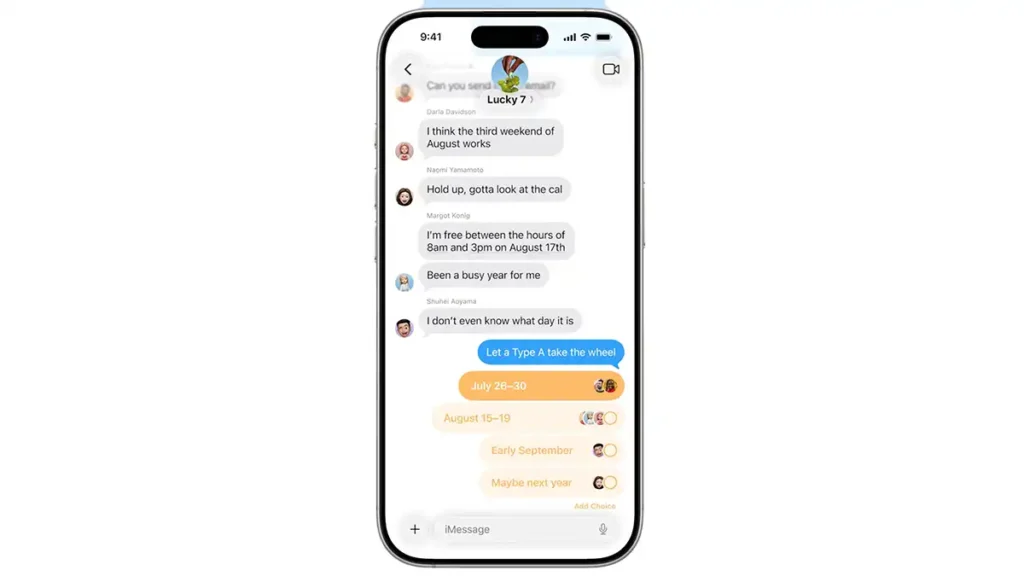
In Messages (iMessage), the experience also becomes richer. You can now create polls directly in group conversations, making it easy to vote on options (such as choosing a restaurant or date for a meetup) without leaving the chat. Apple Intelligence itself can suggest creating a poll when it detects that it would be useful in the conversation context.
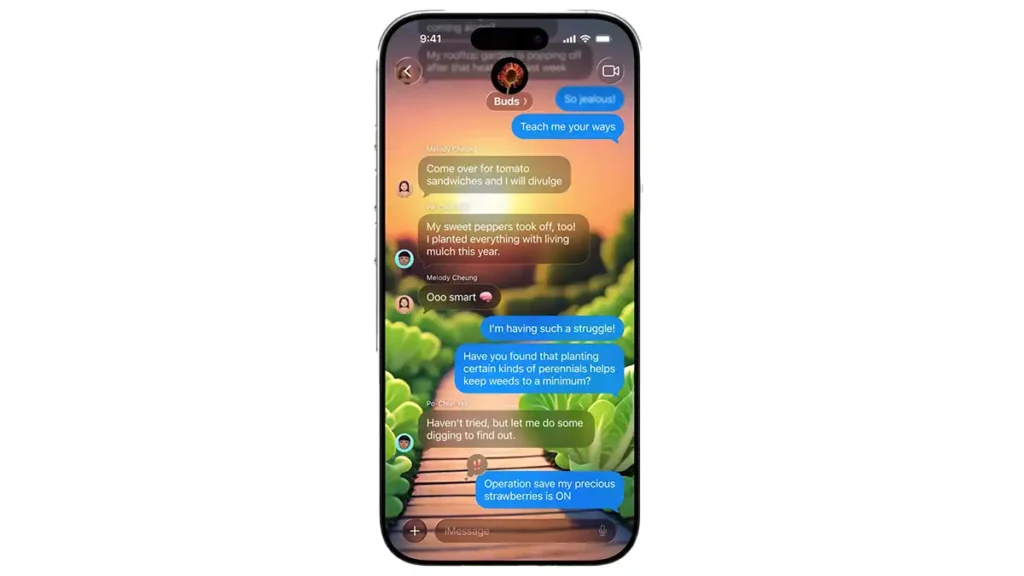
Another long requested feature that has arrived is choosing custom backgrounds for chats. Users can set a different background image for each conversation, including generating unique wallpapers via Image Playground (Apple’s AI tool that can create images from descriptions). With this, each chat can have its own look, whether with a special photo or an AI-generated theme to match the conversation. In iMessage groups, typing indicators now appear to show when someone is writing, even in multi-person chats (previously, typing indicators were only clearly visible in one-to-one conversations).
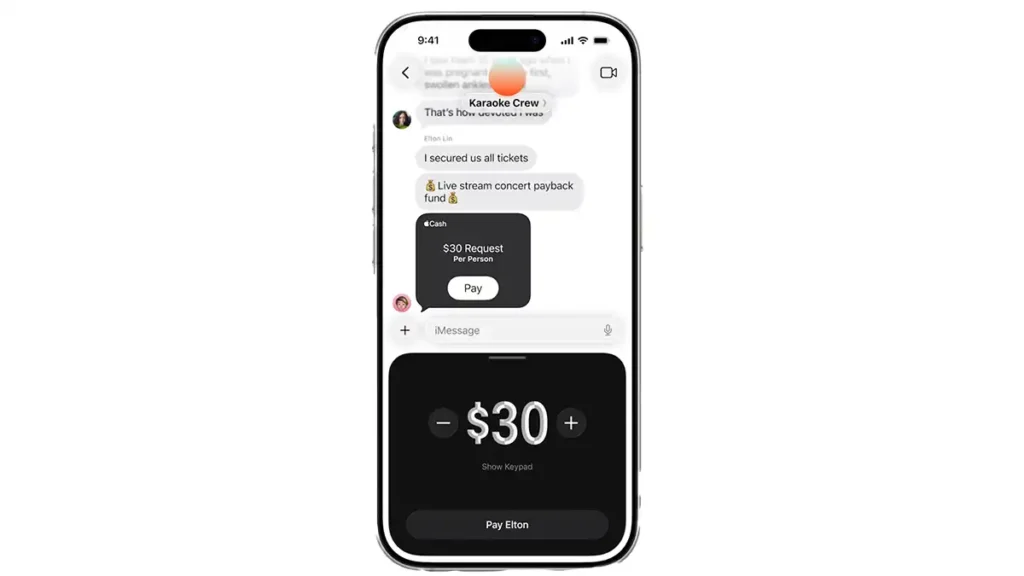
On top of that, Apple has integrated Apple Cash into group chats, allowing you to request, send and receive money directly via iMessage in groups – useful for splitting bills or pooling money with friends in a secure way. Lastly, messages from unknown senders are now filtered into a separate folder and kept muted until the user reviews them. This anti spam filter gives more control over who appears in the conversation list, increasing security and trust in Apple’s messaging platform.
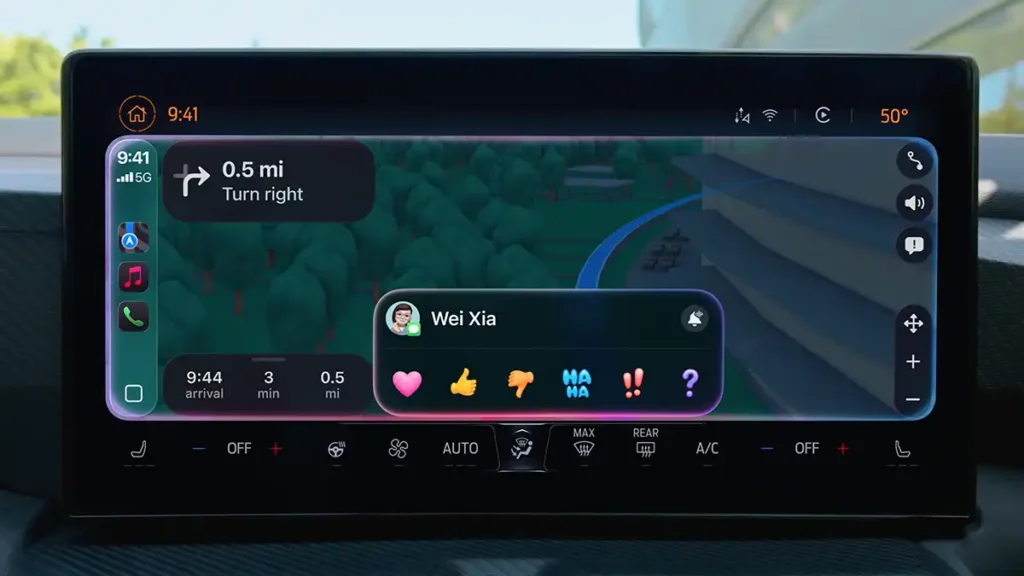
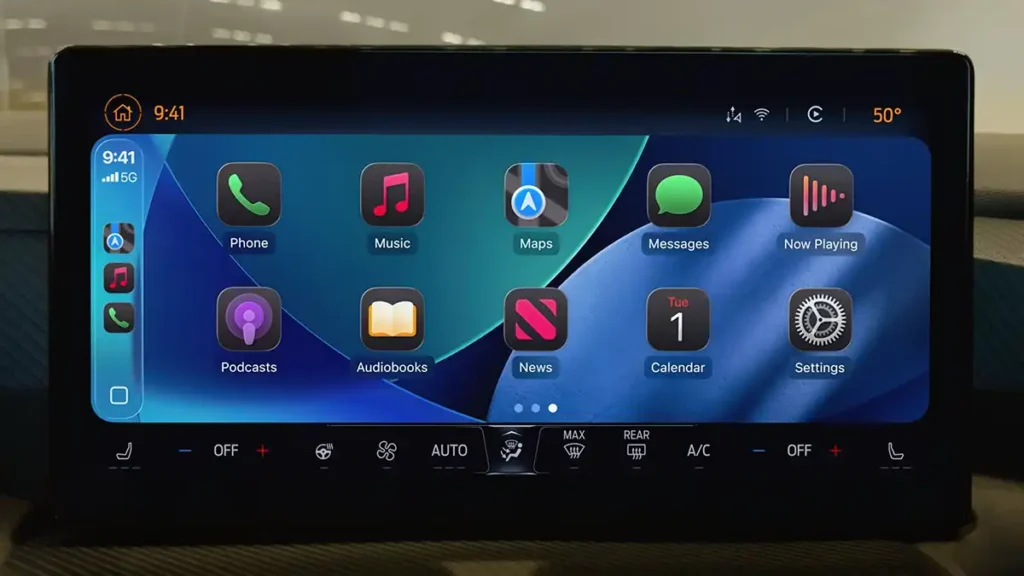
For those who use CarPlay, the iPhone’s extension into the car, iOS 26 brings notable improvements. The new “Liquid Glass” design extends to the car’s display, delivering a consistent and elegant visual experience between the iPhone and the vehicle dashboard.
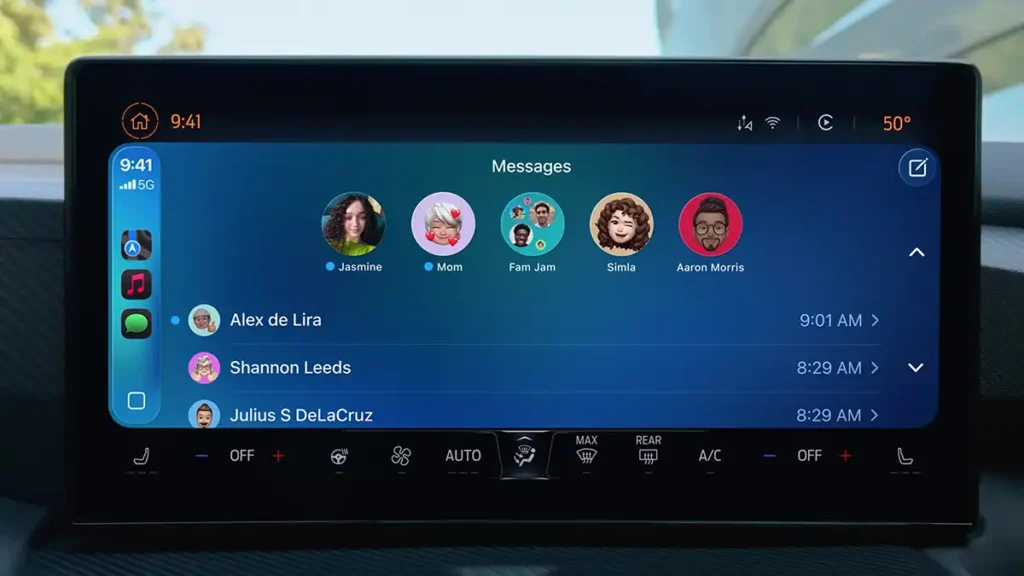
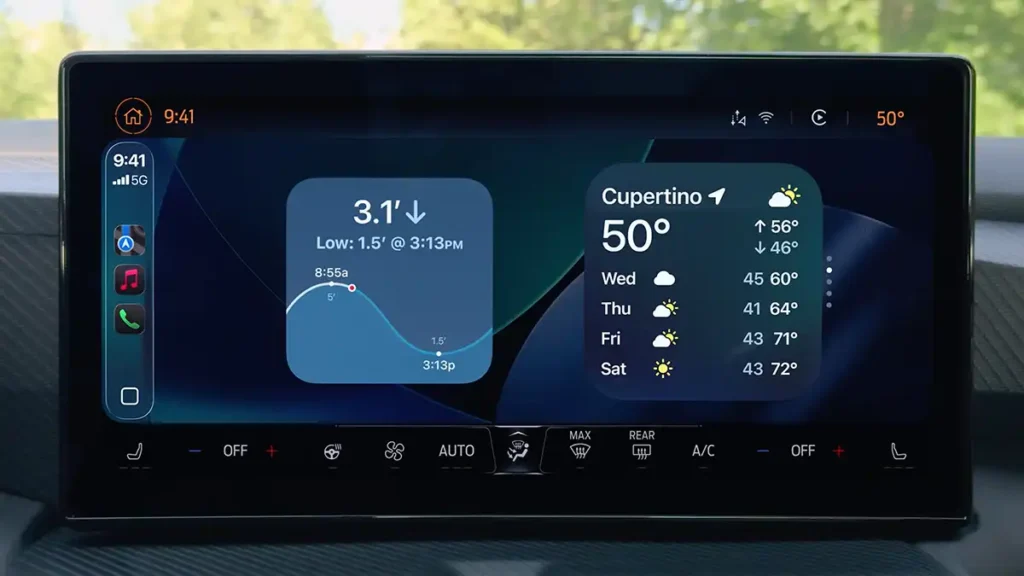
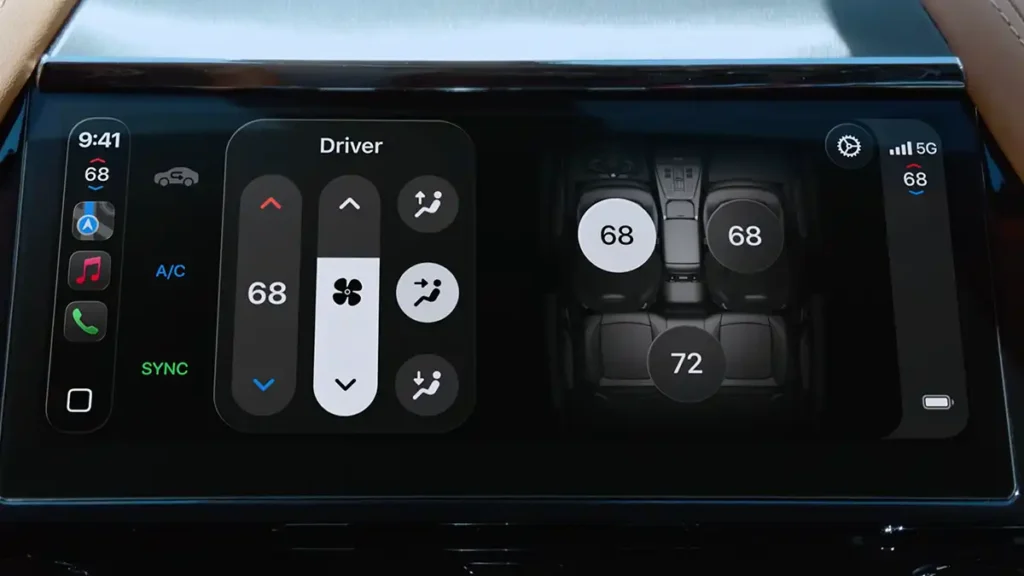
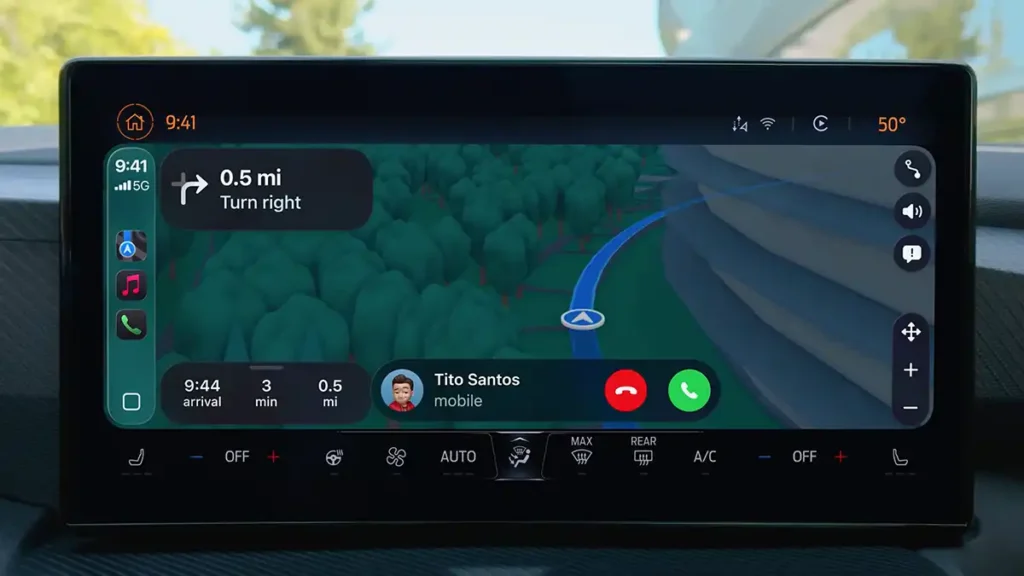
There is a new compact call view that discreetly shows who is calling without taking over the car’s entire screen, so the driver does not lose sight of important information such as navigation. In addition, Messages via CarPlay now support Tapbacks (quick reactions) and pinned conversations at the top, just like in the iPhone app. CarPlay also gains Widgets and Live Activities, allowing you to follow, for example, music information or sports scores in real time on the car’s display without distracting from driving. In parallel, Apple continues development of CarPlay Ultra, the next generation experience that integrates all of the car’s screens in a unified way, this also gets the new design and promises full control of vehicle functions (radio, climate control, etc.) through an even more polished Apple interface.
In the area of accessibility and road safety, iOS 26 adds some welcome CarPlay features. CarPlay now supports the Large Text option, making it easier to read messages and menus for people with low vision (something that already existed on the iPhone and is now available on the car display). Just as important, the Sound Recognition system has been expanded: the iPhone can listen to ambient sounds while connected to CarPlay and alert the driver to important alarms. This feature, designed for drivers with hearing impairments, already recognised sirens from emergency vehicles or horns; it can now also detect a baby crying inside the vehicle and show a warning in CarPlay if that happens. These improvements demonstrate Apple’s commitment to safety and inclusion, ensuring the in-car experience is not only more convenient but also more reliable for all users.

Availability
iOS 26 represents a significant leap for the iPhone, combining an innovative design with intelligent features that make users’ lives easier. In summary, this update brings: a unified, futuristic “Liquid Glass” look across Apple devices, realtime translation integrated into communications, practical improvements in everyday apps (Notes, Camera, Music, Maps, etc.), a dedicated games hub, and advanced AI and privacy features that reinforce Apple’s position in delivering a secure, high-quality experience. Officially announced at WWDC 2025, it will initially be available as a beta for developers and, in the following weeks, as a public beta for enthusiasts who want to try it out. The final public release is scheduled for fall 2025, coinciding with the next generation of iPhones, following Apple’s annual pattern. The good news is that most recent devices will be compatible:
iPhone 16e
iPhone 16
iPhone 16 Plus
iPhone 16 Pro
iPhone 16 Pro Max
iPhone 15
iPhone 15 Plus
iPhone 15 Pro
iPhone 15 Pro Max
iPhone 14
iPhone 14 Plus
iPhone 14 Pro
iPhone 14 Pro Max
iPhone 13
iPhone 13 mini
iPhone 13 Pro
iPhone 13 Pro Max
iPhone 12
iPhone 12 mini
iPhone 12 Pro
iPhone 12 Pro Max
iPhone 11
iPhone 11 Pro
iPhone 11 Pro Max
iPhone SE (2nd generation and later)
In short, iOS 26 signals the direction Apple is taking a balance between striking aesthetics, intelligent features and respect for privacy and accessibility. If you are a fan of the Apple ecosystem or simply curious about mobile technology, this update is worth watching closely. With iOS 26, the iPhone becomes even more personalised, useful and powerful, showcasing Apple’s experience and leadership in shaping the future of the smartphone. Get your device ready, because the future is just around the corner with iOS 26.