Apple unveiled iPadOS 26 during WWDC 2025, calling it “the biggest iPad release ever.” This new version of the iPad operating system brings major changes: a redesigned look with the Liquid Glass effect, a powerful Mac style windowing system for multitasking, and several intelligent features. All of that keeps the iPad’s trademark simplicity while raising users’ productivity and creativity.
Refreshed design and a more vibrant interface
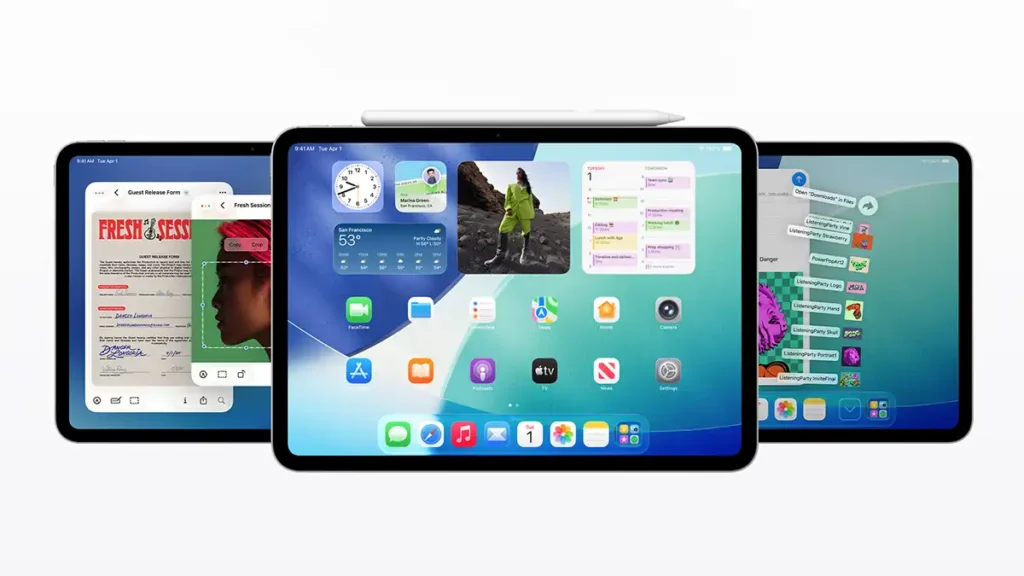
The design of iPadOS 26 received a major update with the new Liquid Glass style. This translucent material brings the interface to life, reflecting the environment and reacting to touch to highlight important content. App icons were reworked and adapt between light and dark themes, with colourful tones and a new transparent look that gives the Home Screen more personality.
The Lock Screen also gains a dynamic 3D effect, the clock blends elegantly into the background photo, and the subject appears with depth as you move the iPad. System elements such as Control Center and navigation bars in native apps also adopt this modern and intuitive look. The result is a more expressive and immersive visual experience without losing the familiarity of iPadOS.
Powerful multitasking with flexible windows
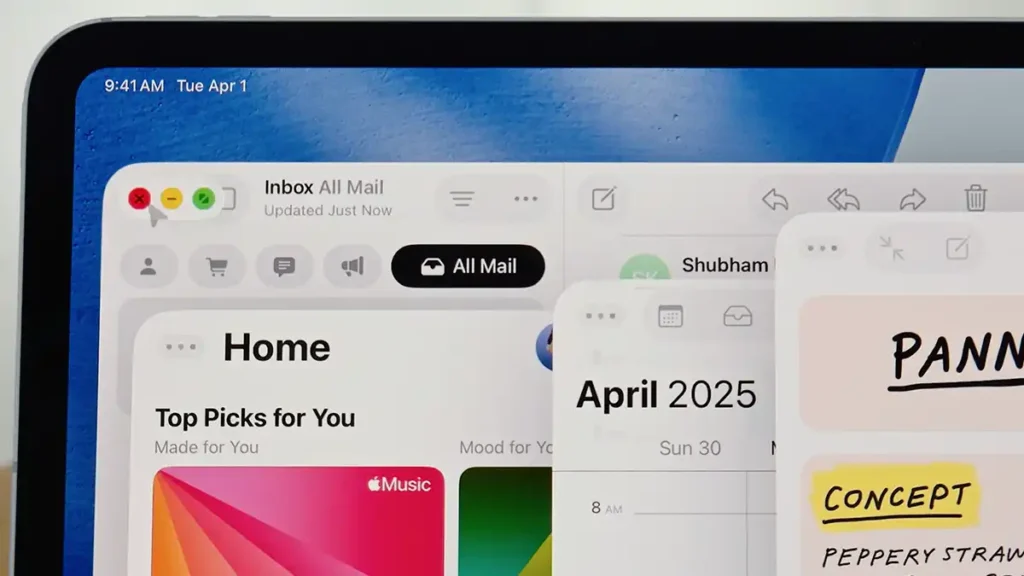
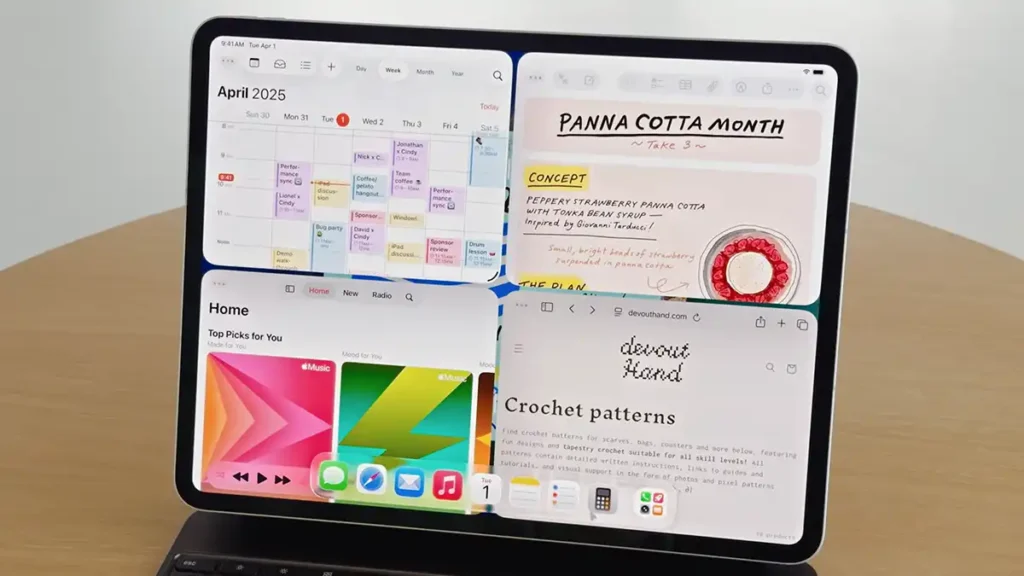
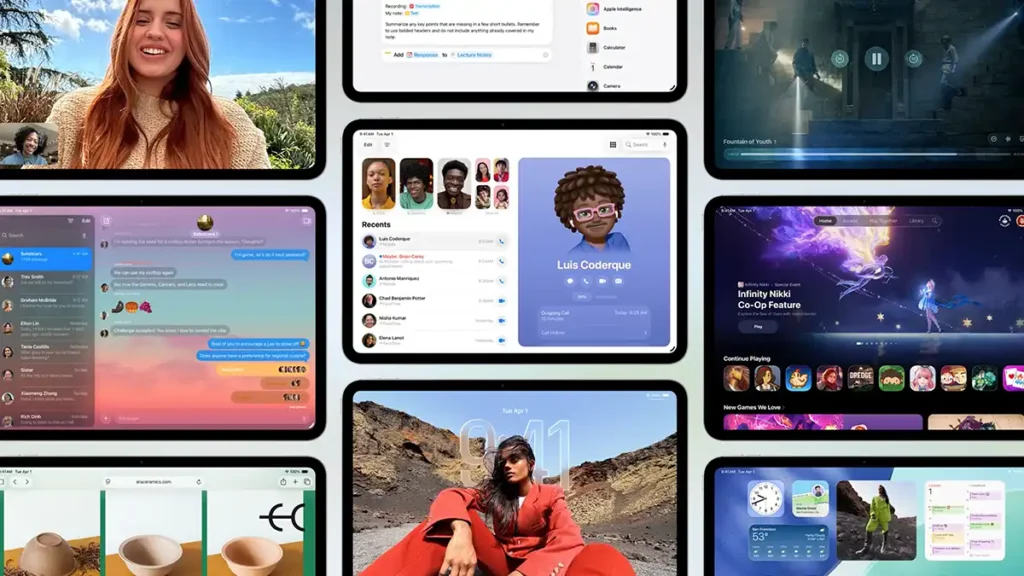
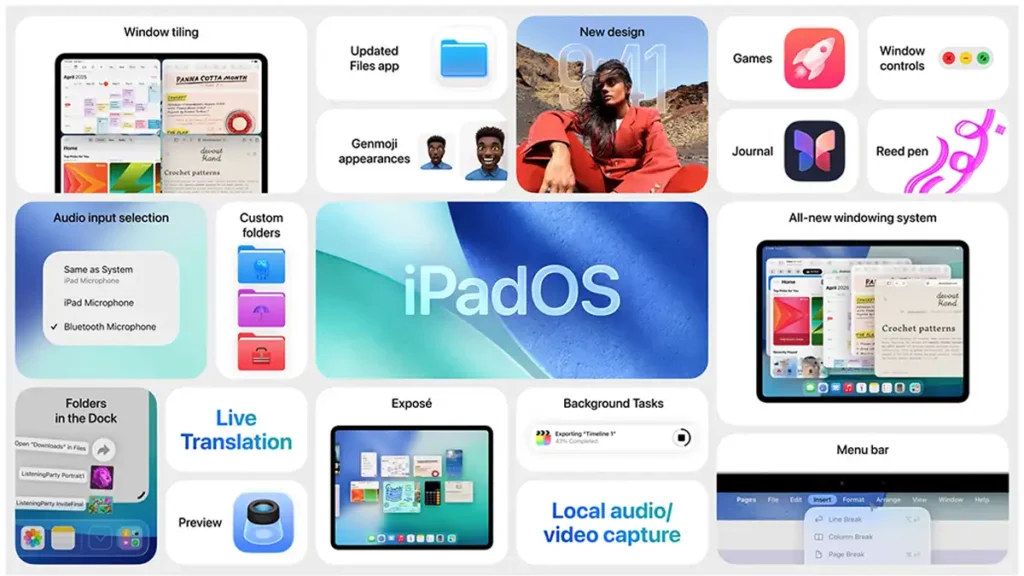
One of the biggest new features in iPadOS 26 is its new windowing system, which brings the iPad experience closer to that of a Mac. Users can now open multiple app windows at the same time and resize them freely, placing them anywhere on the screen. For the first time, the iPad allows side by side window layouts in several formats, halves, thirds or quadrants of the display, thanks to the new window tiling feature that arranges windows with a simple gesture.
Familiar window controls also arrive (buttons to close, minimize or maximize), making it easier to manage active apps. If an app is resized, the system remembers its size and position when you reopen it, saving the user time.
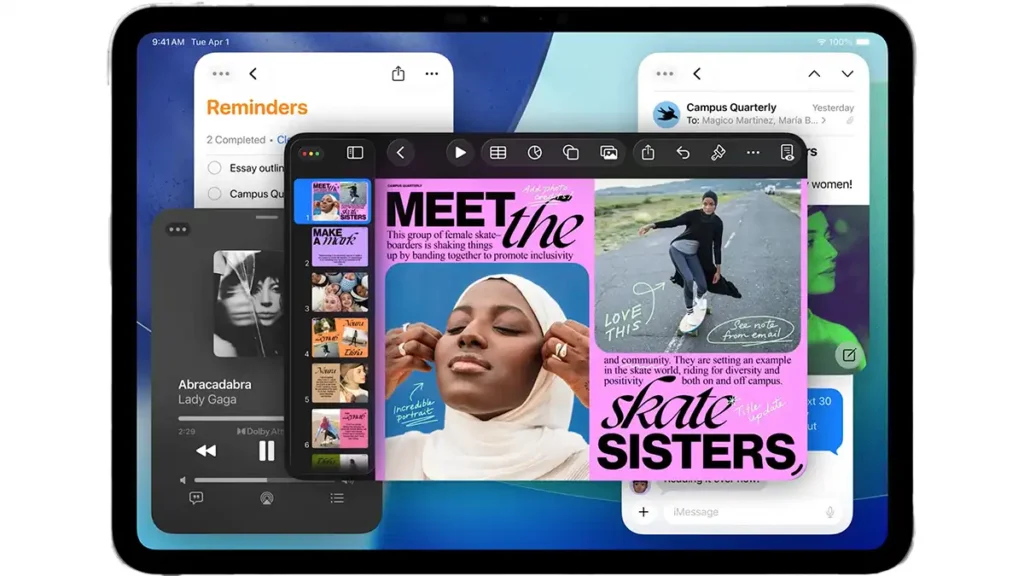
To make multitasking even more intuitive, iPadOS 26 introduces Exposé: by swiping slightly up and holding, all open windows appear in a grid, allowing quick switching to the one you want. This advanced window environment works together with Stage Manager, so you can group apps into workspaces, and it offers full support for external displays if you need more screen space.
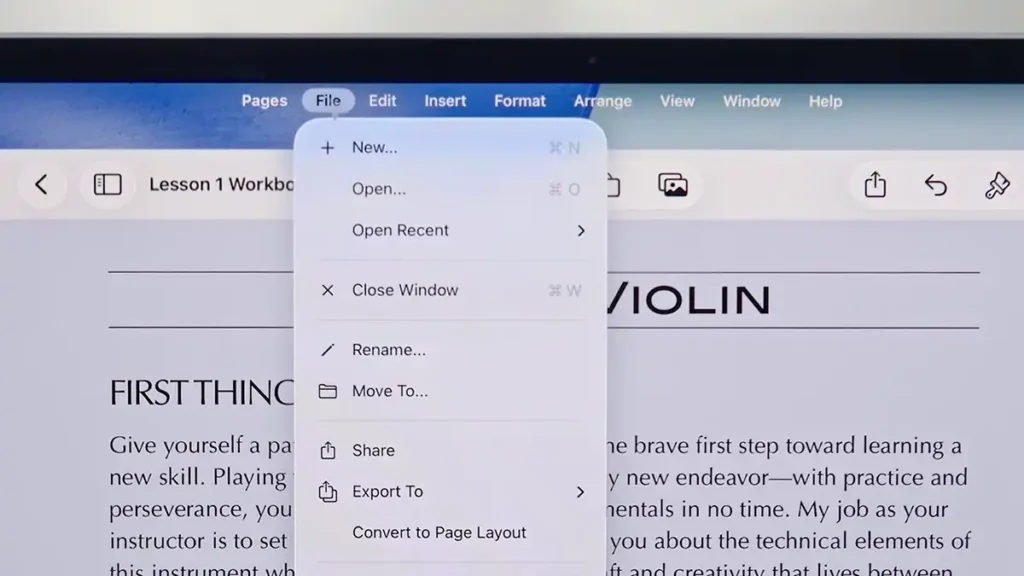
Another addition inspired by macOS is the new app menu bar, accessible with a simple swipe from the top of the screen (or when using a cursor/mouse). This menu bar presents the commands for the app in use and includes a search function to quickly find any option or help item inside that app. Developers can also customize their apps’ menus on iPad. In short, iPadOS 26 turns the iPad into a much more capable multitasking device, bringing its usability closer to that of a traditional laptop.
Improved native apps: Files and Preview
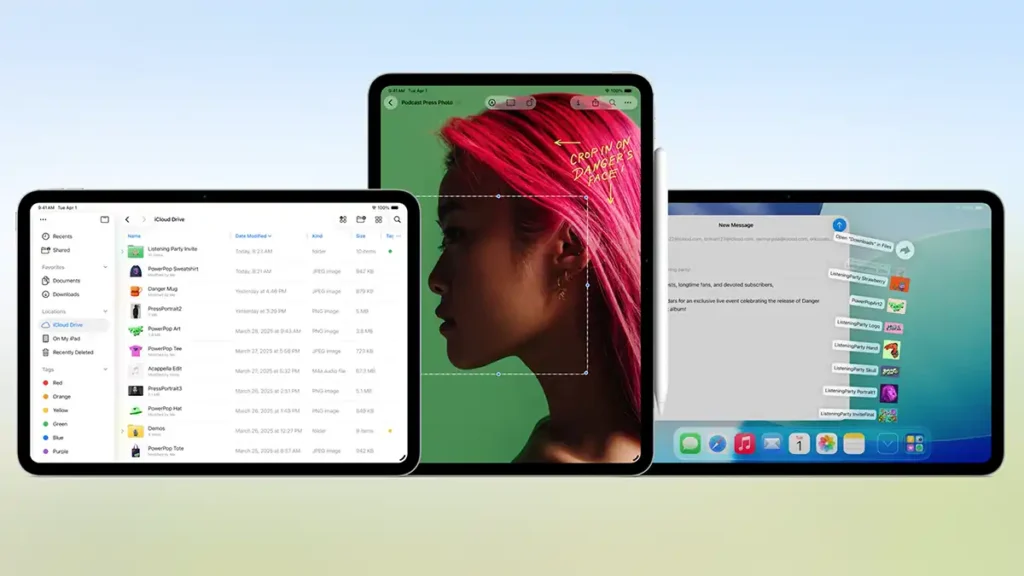
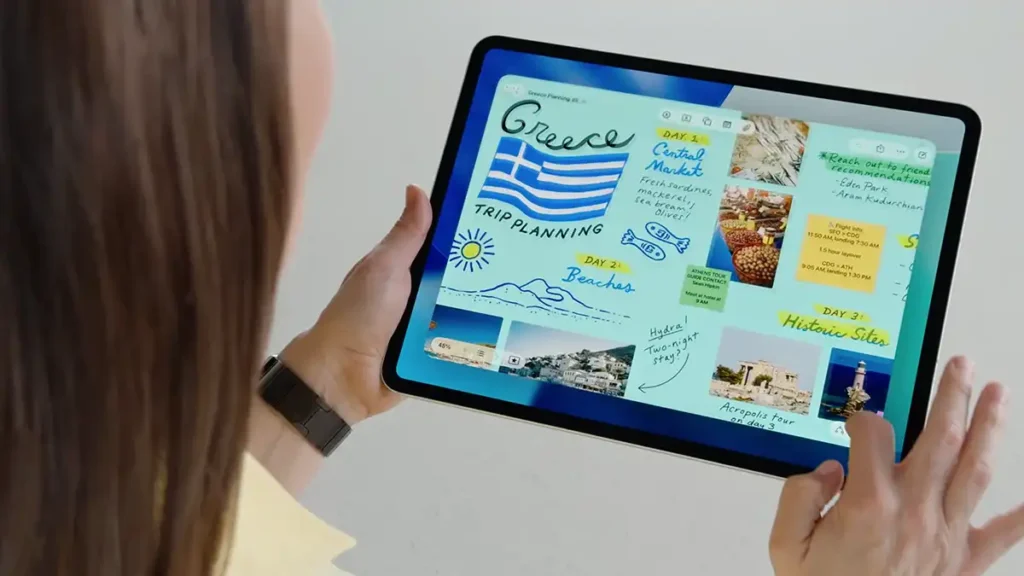
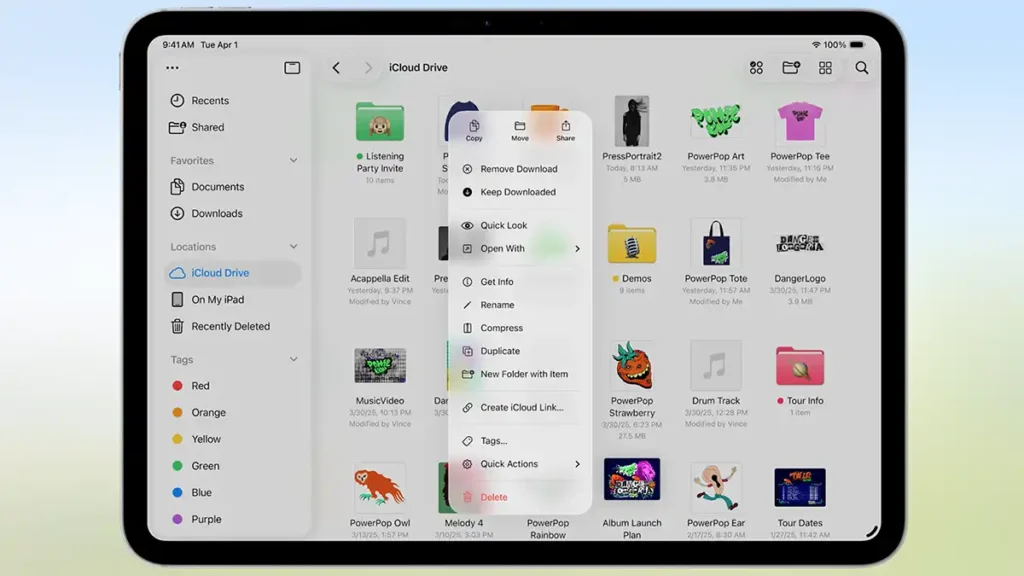
In terms of productivity, iPadOS 26 brings important improvements to file management. The Files app gained a more powerful list view with adjustable columns and expandable folders, making it easier to see document details. It is now possible to customize folders with colours, icons and even emojis, which sync across devices, so you identify each folder at a glance.
Users can also drag any folder into the iPad Dock, creating permanent shortcuts for quick access to frequently used files from any screen. Another long requested feature is the ability to set default apps for opening certain file types (for example, making a third party image editor the default for PNG files). These additions make file management on iPad feel closer to a traditional computer experience, giving users more control.
Another major addition is that the Preview app from macOS finally arrives on iPad. With iPadOS 26, there is now a dedicated app for viewing, editing and annotating PDFs and images on the tablet. Preview allows you to open PDF files directly from the Files app, fill in PDF forms automatically via AutoFill, and mark up documents with Apple Pencil or your finger. It also supports quick sketch creation, for example by opening a blank page and drawing a freehand sketch.
Having Preview on iPad makes tasks such as reviewing a contract in PDF or signing a document digitally much simpler and more integrated, without needing third-party apps.
Additional features and various improvements
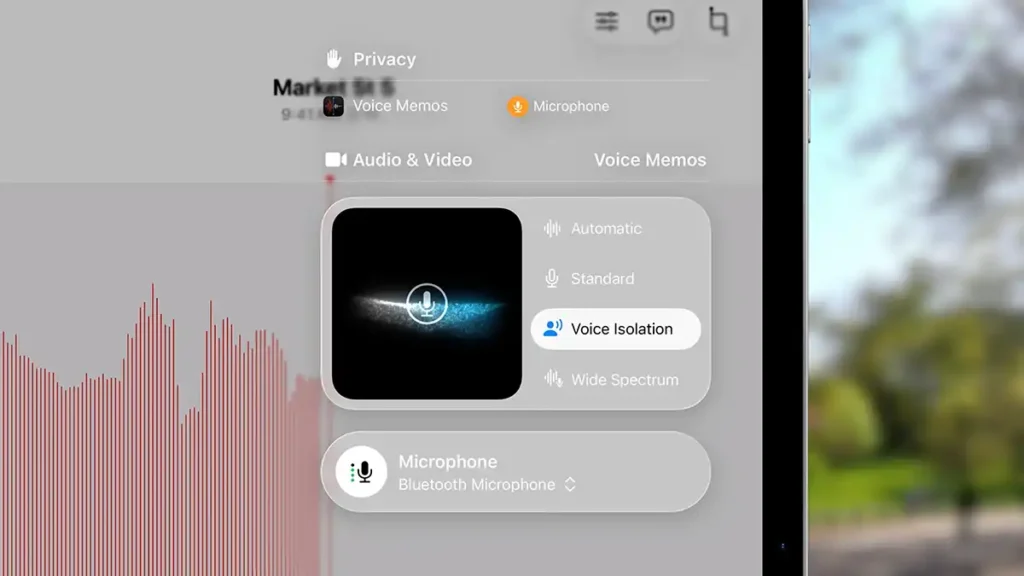
iPadOS 26 includes several other improvements that enhance everyday use. In audio and video, users gain more control and higher quality, it is now possible to choose which microphone each app uses (or even which mic a specific website in Safari uses), which makes it easier, for example, to use an external mic in a recording app while another app uses the built in microphone.
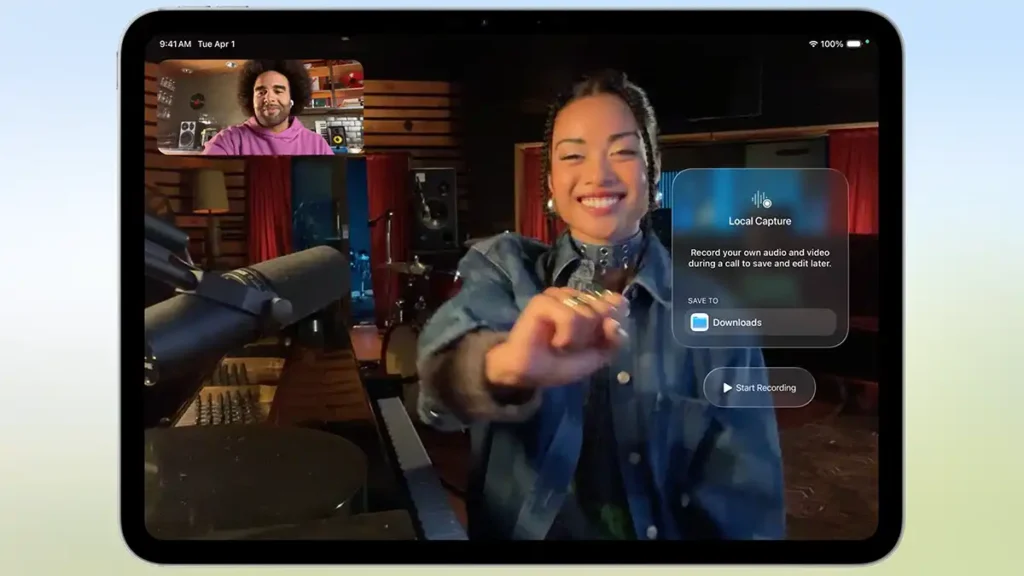
During calls or recordings, the Voice Isolation feature reduces background noise to capture clearer audio. For content creators, the new Local Capture feature lets the iPad record high-quality local audio and video from any video-conferencing app, ideal for saving a meeting or podcast with crystal-clear sound. After the call, those files are easy to share. When you use the latest-generation AirPods, the system also takes advantage of active noise cancellation to achieve studio-grade quality in recordings.

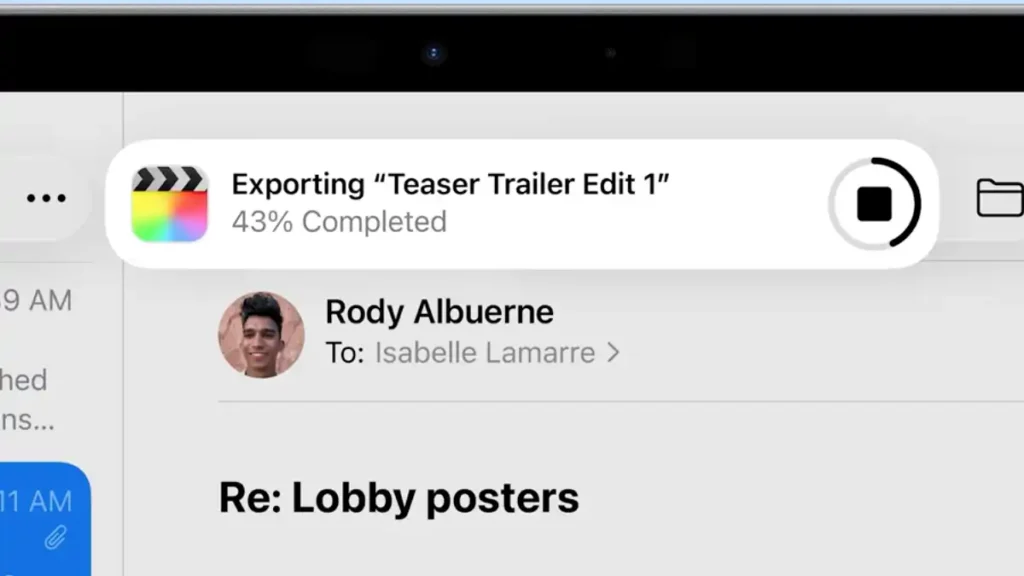
Other areas also received attention from Apple. The Background Tasks feature debuts on iPad, using Apple Silicon chips to run heavy tasks in the background without freezing the device. Long-running processes started in an app, such as exporting a video or rendering a project, continue even if the user switches apps. Progress appears as a Live Activity (a persistent notification), giving transparency and control over what is running in the background. Developers now have APIs to take advantage of this, enabling a new class of professional apps on iPad.
Conclusão
In conclusion, iPadOS 26 represents a significant leap in the evolution of the iPad. With a refined Liquid Glass look and robust multitasking, this update blends the iPad’s mobile simplicity with advanced, computer class capabilities. Features such as real-time translation and new creative tools show Apple’s focus on practical, private AI.
On top of that, strengthened native apps, from Files to Preview, plus the new Journal and a dedicated Games hub, expand what you can do on an iPad, whether you want to work, create or relax.
iPadOS 26 will be available as a free update in fall 2025 for a wide range of models, including iPad Pro, iPad Air, iPad mini and recent base iPads. Apple has already released the developer beta and plans a public beta in July, paving the way for a stable launch. With this operating system, Apple consolidates the iPad as a more versatile, powerful and friendly platform, ready to serve both casual users and demanding professionals.