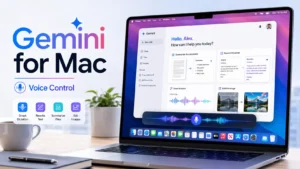
Astropad has a new app that can be useful if you always wanted to use your iPad as a graphics tablet or trackpad for your Mac. It is called “Slate” and it lets you turn your iPad into a large trackpad for the Mac.
What is Slate?
Slate is an app from the company Astropad, which focuses on creating solutions for digital artists who use the iPad and Mac. This app lets you use the iPad as a trackpad for the Mac, perform gestures, write by hand, control the cursor and more.
Using Wi-Fi Direct technology, Slate connects your iPad and Mac through a wireless connection. To use Slate, install the app on your iPad and Mac and pair the two devices. After that, you can choose one of two operating modes:
- Relative positioning: This mode lets you use the iPad as a conventional trackpad, with the cursor moving freely across the Mac screen. You can use gestures such as pinch, zoom and swipe.
- Absolute positioning: This mode lets you use the iPad as a graphics tablet, mapped to cover the entire Mac screen. When you touch the iPad, the cursor moves to the corresponding point on the Mac screen.
What are the advantages of Slate?
Slate offers several benefits, such as:
- Make better use of your iPad: If you already own an iPad, you can use it as a graphics tablet for your Mac with Slate, without buying another device.
- More precision and comfort: Slate lets you use Apple Pencil to control the cursor, which makes it easier and more precise than a mouse or a standard trackpad. Slate also supports the new Apple Pencil Hover feature. This feature lets you move the Apple Pencil above the iPad’s surface and then tap to click.
- Handwriting: Slate’s handwriting feature lets you write on the iPad and see the text appear on your Mac. You can take notes, annotate, sign documents and more with this option.

How much does Slate cost?
It costs $19.99 and requires an iPad with iPadOS 15.0 or later and a Mac with macOS 11.0 or later. For more information, check Astropad’s Slate page.
Consider Astropad’s Rock Paper Pencil if you want to use Slate as a graphics tablet. It is a kit that gives the feeling of writing with a real pen on the iPad using a custom tip for Apple Pencil.